

Attendance
How to Fix Attendance Records Before Payroll
Jun 25, 2026 · 5 min read
Payroll problems usually start before payroll. A missing clock-out becomes zero hours. An overtime record never gets approved. A leave day is approved in chat but not in the system. By the time payslips are generated, the numbers look wrong even if the payroll formula is doing exactly what it was told to do.
The better habit is to review attendance before creating the payroll run.
Here is a practical cutoff checklist for Philippine small businesses using Timekeep.
Start with the cutoff date range
Open Attendance and filter the exact cutoff period you plan to pay.
For semi-monthly payroll, this usually means reviewing the 1st cutoff and 2nd cutoff separately. Do not review "this month" if the payroll period is only half the month. That is how records from the wrong cutoff sneak into the conversation.
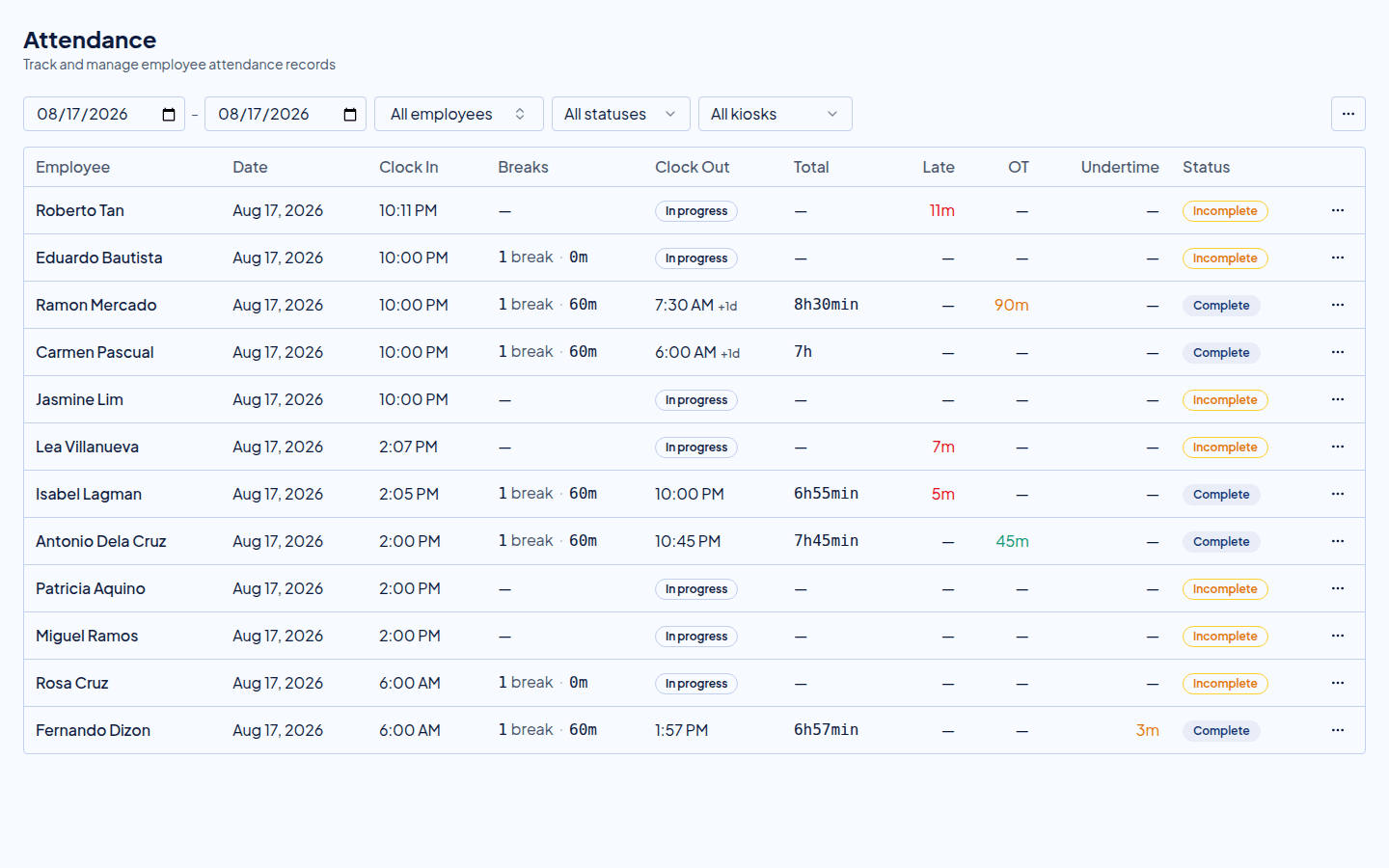
Check that the date range matches the payroll period you will generate. If your business uses overnight shifts, pay attention to work-date attribution. A clock-out after midnight does not always mean the work belongs to the next payroll date.
Find missing clock-outs
The first check is simple: who clocked in but did not clock out?
Missing clock-outs happen for ordinary reasons. Someone forgot. The internet dropped. The phone battery died. The kiosk was closed too early.
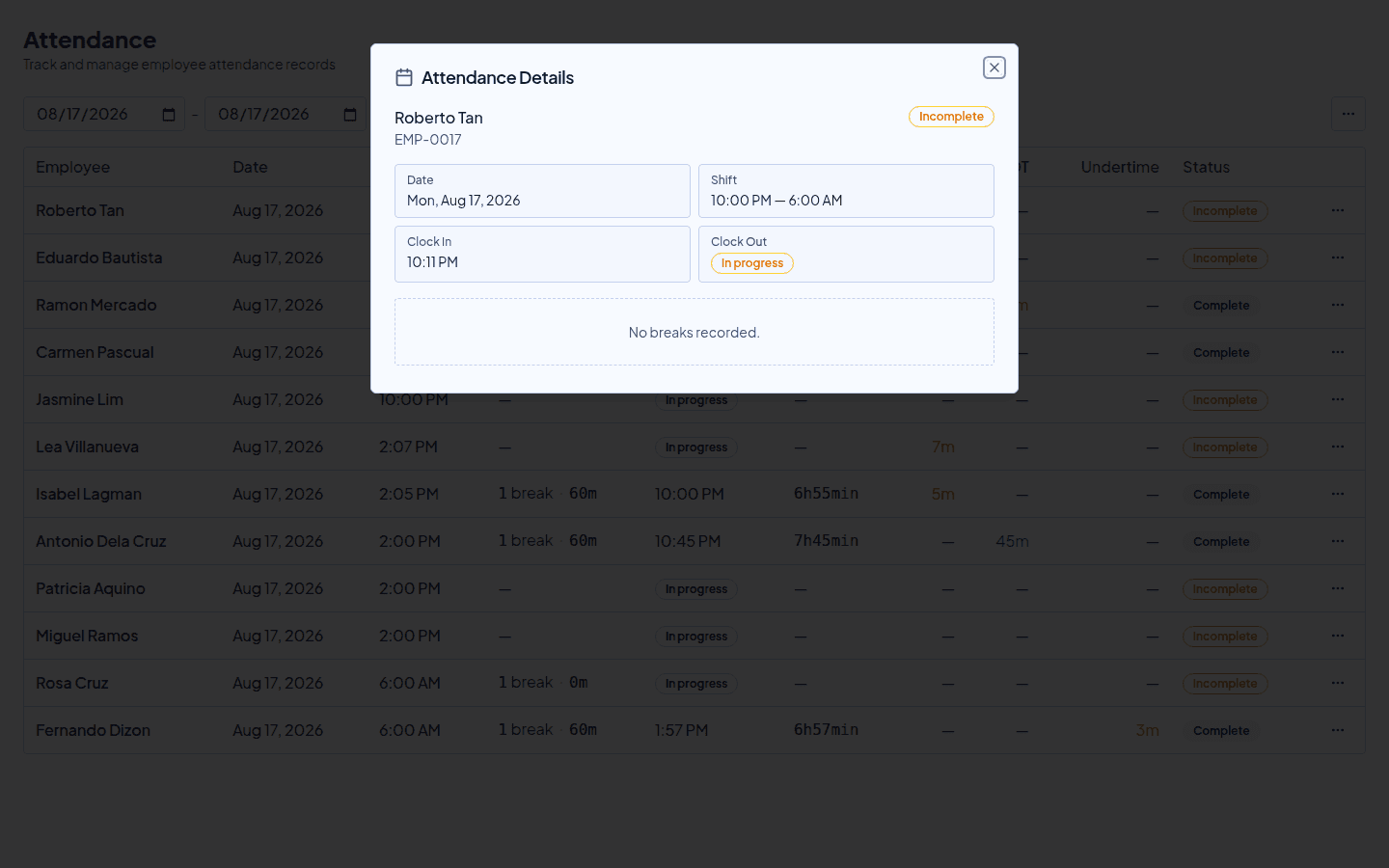
Before payroll, review incomplete attendance records and add the correct clock-out time only when you have a reliable basis for the correction. That may be a supervisor note, kiosk record, message from the employee, or schedule confirmation.
Avoid guessing. A guessed clock-out is not just an admin shortcut. It changes pay.
Check late minutes and undertime
Late minutes and undertime are different problems.
Late minutes happen when the employee starts after the scheduled start time. Undertime happens when the employee leaves before the scheduled end time. Both can reduce pay, but they explain different behavior and should not be mixed together.
In Timekeep, schedules help identify these automatically. If the schedule is wrong, the attendance result may also look wrong. So before editing the attendance record, confirm that the employee was assigned to the correct shift.
Review overtime before it reaches payroll
Overtime should be reviewed before payroll is generated.
If your policy requires approval, do not let every late clock-out become paid overtime automatically. Review who stayed late, why, and whether the extra time should be paid.
Timekeep supports overtime review and approval workflows. That gives payroll a clean signal: approved overtime can be paid, while unapproved extra time can be reviewed separately.
This matters especially for restaurants, clinics, shops, and operations teams where people may stay behind for closing tasks, inventory, or handovers.
Confirm breaks and overbreaks
Break records can affect paid hours, especially when your business tracks break start and break end.
Every cutoff, check:
- Missing break end times
- Very long breaks
- Employees with no break record when one is expected
- Multiple breaks if your business allows them
- Breaks that overlap with clock-in or clock-out times
Overbreak deductions should be understandable. If an employee asks why pay was reduced, you should be able to point to the exact break record, not a hidden spreadsheet note.
Match leaves against attendance
Approved leave should be reflected before payroll runs.
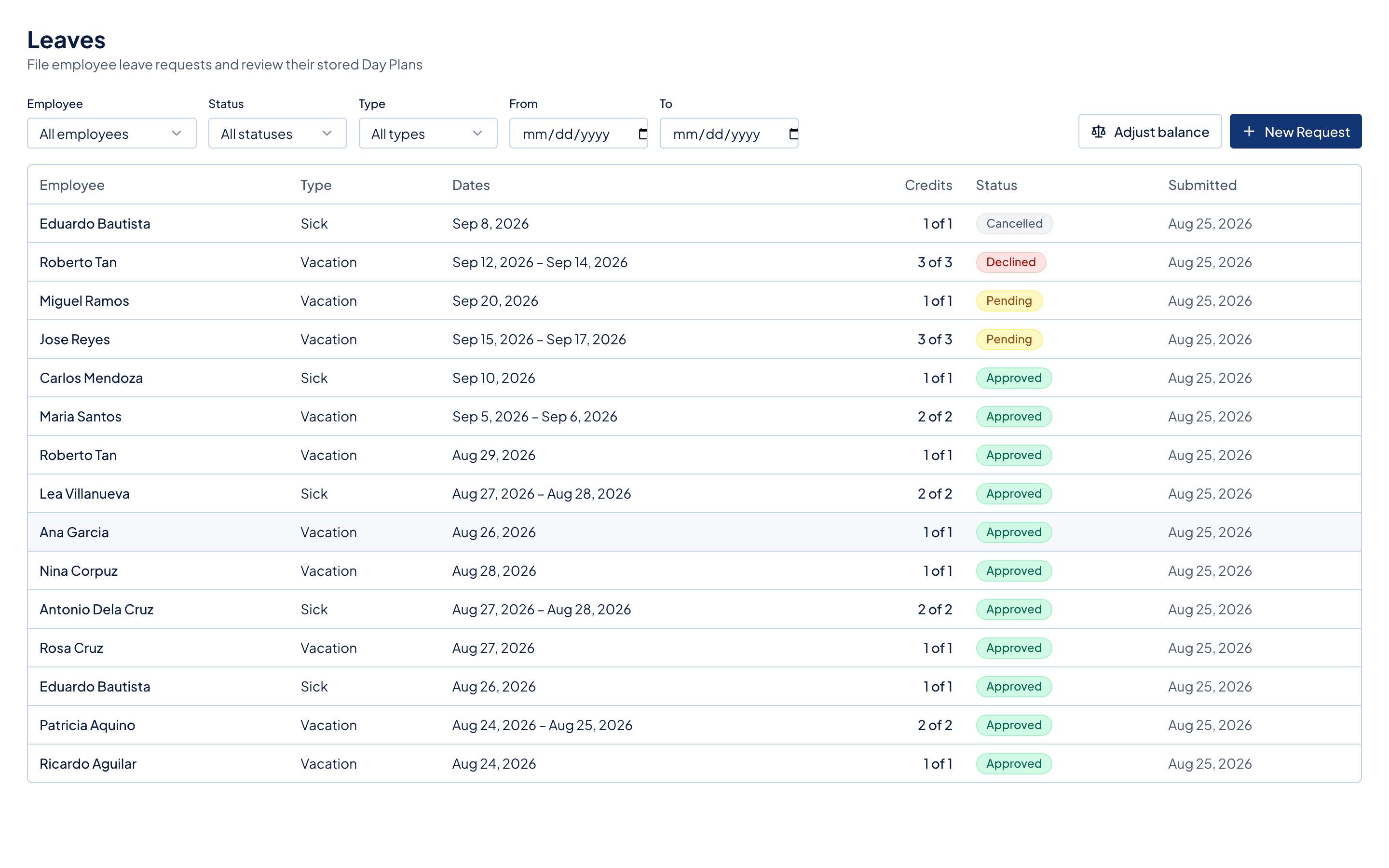
If someone was on approved vacation or sick leave, payroll should treat that day differently from an unexplained absence. In Timekeep, approved leave can flow into payroll for working days without attendance, so the leave record needs to exist before payslips are generated.
Check the Leaves page for pending requests that belong to the payroll period. Approve or decline them before creating payroll.
Watch schedule changes
Schedule changes can affect completed attendance. If an employee was moved to a different shift after they already worked, late minutes, undertime, overtime, and night differential may need recalculation.
Timekeep recalculates attendance when schedule changes affect completed records. Still, schedule changes should be deliberate. If a supervisor changes a schedule just to erase a late arrival, that is no longer a schedule correction. That is a payroll policy decision.
Keep the difference clear.
Use manual edits carefully
Manual attendance edits are sometimes necessary. They are also risky because attendance drives pay.
Use manual edits for real corrections:
- Forgotten clock-out
- Kiosk outage
- Approved schedule adjustment
- Manager-confirmed attendance
- Import cleanup
Avoid manual edits that simply make payroll easier to process. If the employee was absent, late, undertime, or overbreak, the record should reflect that reality unless your business policy says otherwise.
Cutoff checklist
Before generating payroll, run this checklist:
- Filter attendance to the exact cutoff period.
- Resolve incomplete clock-in and clock-out records.
- Confirm schedules for employees with late, undertime, or overtime flags.
- Approve or reject overtime.
- Review breaks and overbreaks.
- Approve or decline leave requests in the cutoff.
- Check employees with no attendance on scheduled workdays.
- Export or document any corrections that need accountant review.
This takes a few minutes when done every cutoff. It takes much longer when skipped for a month.
Why this matters
Attendance corrections are not clerical. They change gross pay, deductions, overtime, holiday premiums, night differential, and employee trust.
Timekeep helps by keeping schedules, attendance, leaves, and payroll connected. But the business still needs a review habit. Clean attendance before payroll means fewer payslip disputes after payday.
Try Timekeep free for 30 days at timekeep.ph.
Quick answers
Frequently asked questions
Should attendance records be corrected before or after payroll?
Correct attendance records before generating payroll whenever possible. Payroll uses attendance to compute late minutes, undertime, overtime, night differential, overbreaks, and work dates, so clean attendance produces cleaner payslips.
What attendance issues should I check every cutoff?
Look for missing clock-outs, wrong work dates, unapproved overtime, excessive breaks, approved leaves, manual edits, and employees with no attendance on scheduled days.
Can Timekeep handle manual attendance edits?
Yes. Timekeep supports manual attendance create and edit flows, and schedule-aware recalculation for completed attendance when schedule changes affect the record.
Why does an attendance audit trail matter?
Attendance affects pay. If a record is changed, the business should be able to explain why the change was made and how it affected payroll.