
Payslips
Every peso itemized, so nobody has to ask what was deducted.
Earnings on one side, deductions on the other, and the full working behind every figure.
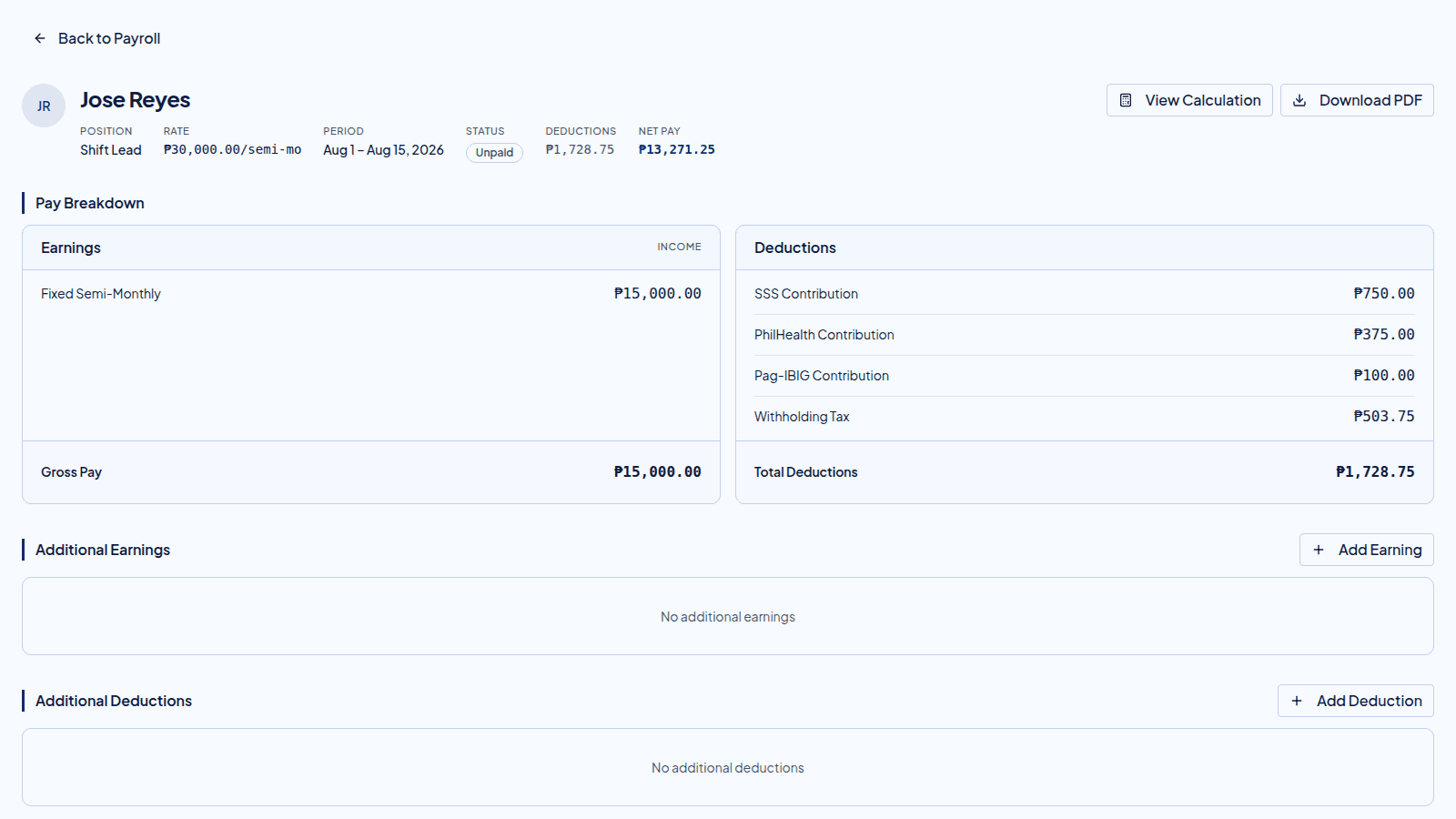
Three people read the same payslip
One document, no retyping.
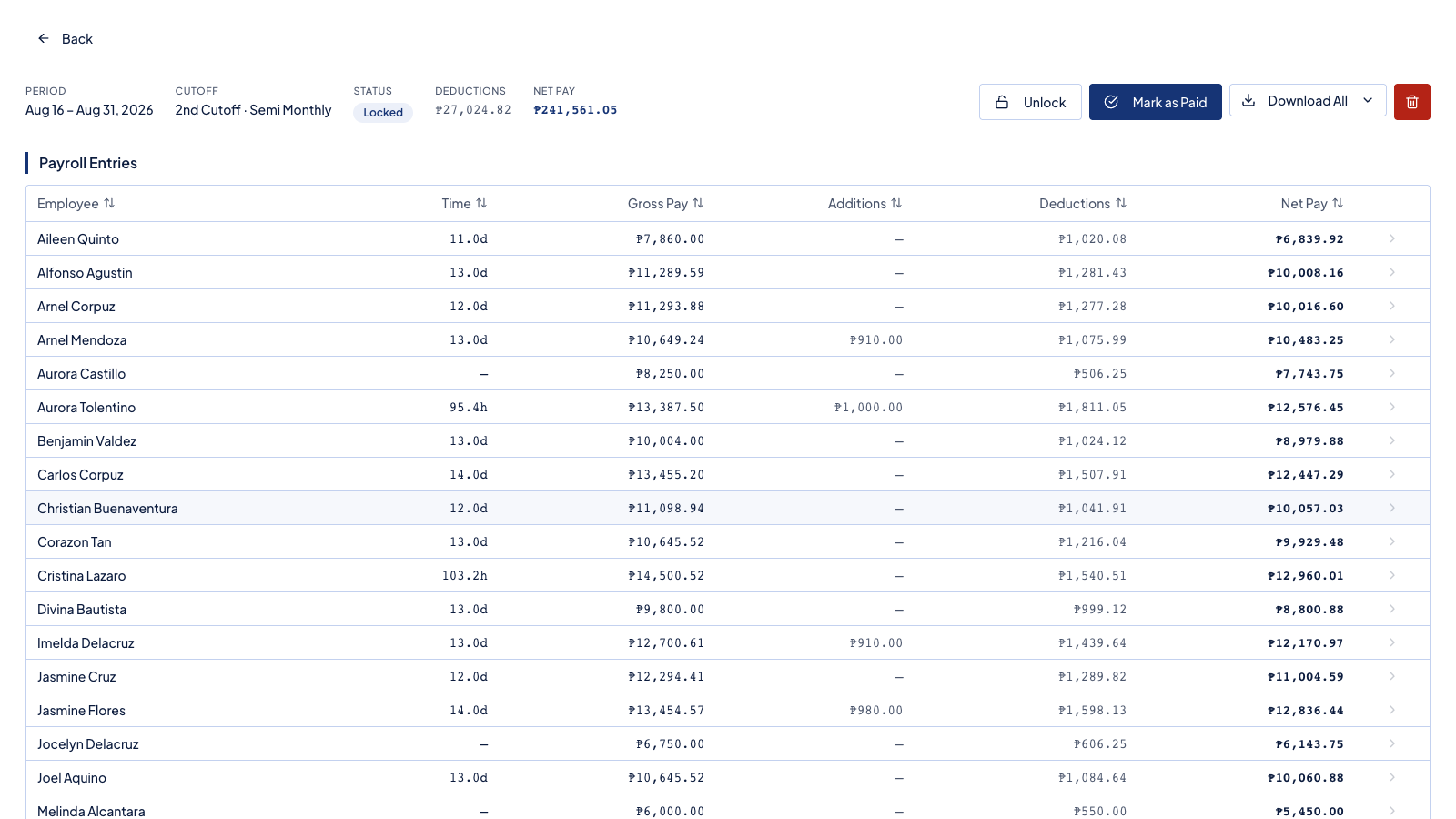
Check the run line by line, and open any figure to see how it was reached, before you mark it paid.
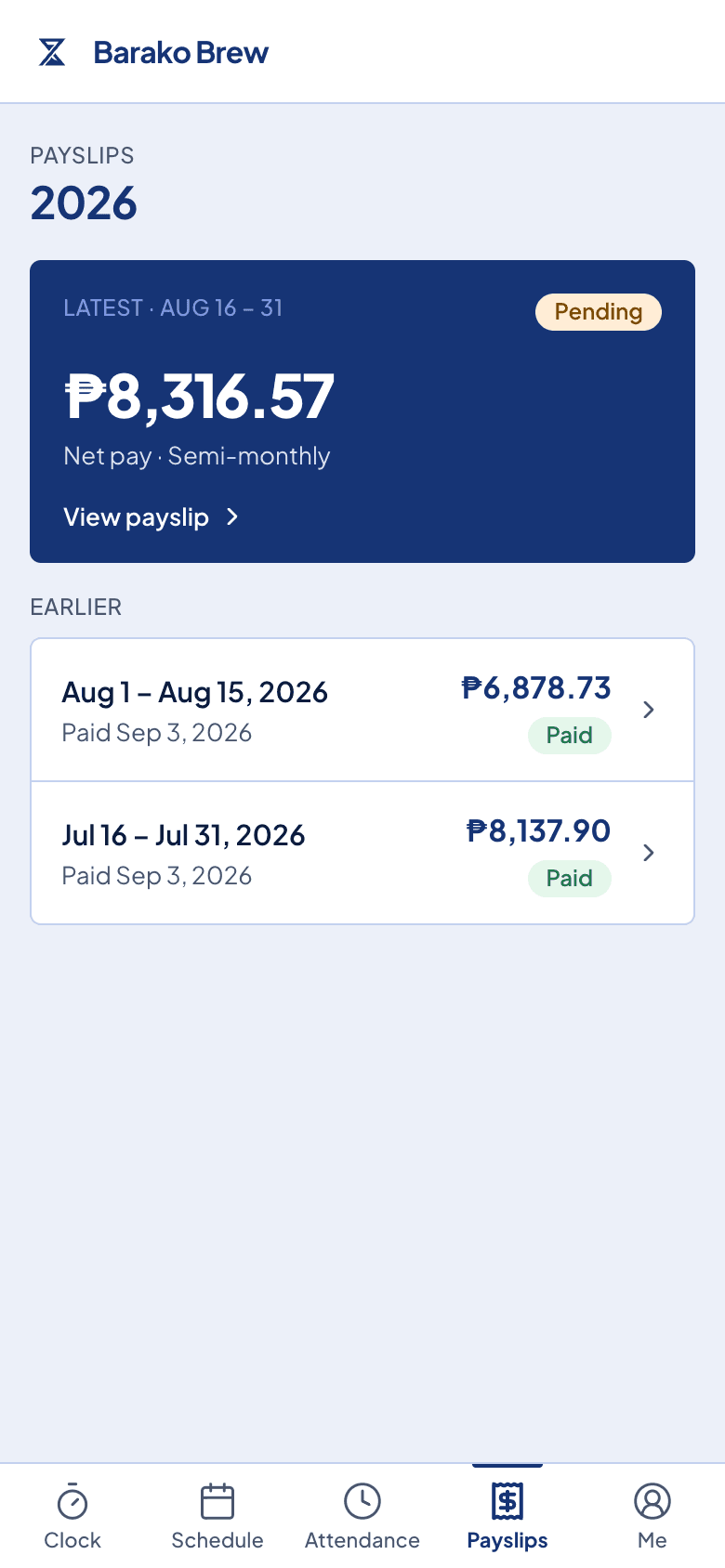
Each person opens their own payslip on their phone and downloads it as a PDF. No screenshots in the group chat.
Take the whole period as a spreadsheet, or the payslips together, in one action.
Open the working, instead of defending the number.
View Calculation shows how the figure was reached, from the hours and the rules that applied. A disagreement becomes a thing you read together.
What comes with it
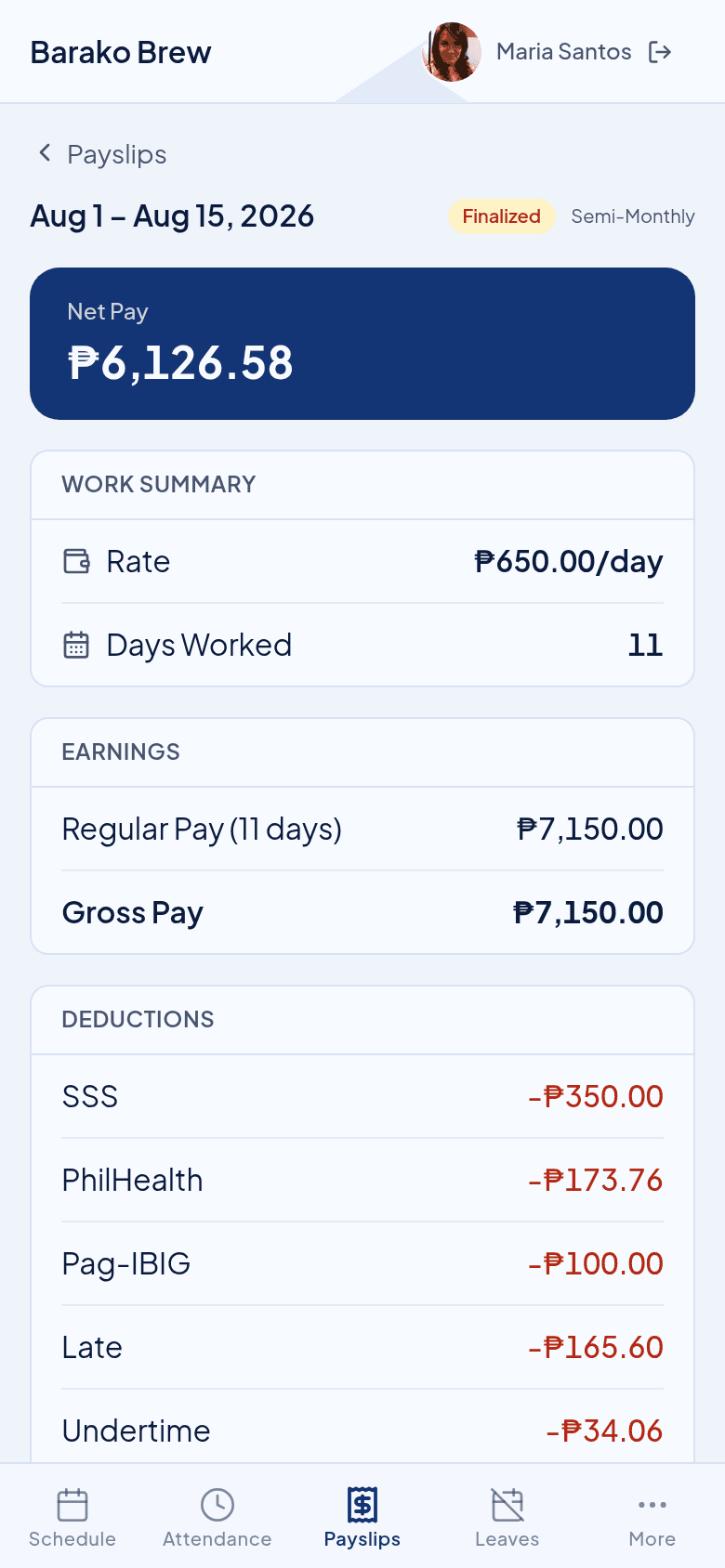
A payslip your staff can actually read.
Earnings, one line at a time
Regular pay, overtime, night hours, and any leave that was paid, each named and each with its own amount.
Deductions by name
SSS, PhilHealth, Pag-IBIG, and withholding tax appear by name, next to late or undertime if there was any.
Anything you added, shown as its own line
A bonus, an allowance, a cash advance, or a loan payment sits on the payslip where the employee can see it.
A PDF they can keep
Each payslip downloads as a PDF, for a loan application, a visa, or their own records.
Before you ask
Questions owners ask after the first run.
When can my staff see it?
Once you lock the run. Locking is what sends the payslips out, and you can still unlock it if you find something to fix.
Can I download them all at once?
Yes. Take the whole period in one action, as PDFs for your staff or as a spreadsheet for your bookkeeper.
Somebody disagrees with a figure.
Open View Calculation and read the working together. It shows the hours and the rules behind the amount, so the conversation is about facts.
Do I still send them by chat?
You do not have to. Each person opens their own in the employee portal, so nobody screenshots anybody else's pay.
Next in the flow
The payslip is made from these.
Try it beside your spreadsheet.
Run one cutoff in Timekeep and compare it against the sheet you keep now. If the numbers do not match, you have lost nothing.
30-day free trial. No credit card. Cancel anytime.