
How to track and approve overtime hours in Timekeep
Timekeep flags overtime automatically from clock-out times. Review and approve before payroll runs, so nothing gets added to a payslip without your sign-off.
Apr 4, 2026 / 3 min read
Your shift ends at 5 PM. One of your team members clocks out at 6:42. That's one hour and 42 minutes of overtime. Under Philippine labor law, that's paid at 125% of their hourly rate. If they earn ₱500 a day, their hourly rate is ₱62.50, and an hour and 42 minutes of overtime comes to about ₱132.
If you're computing this by hand, you need to notice that it happened, calculate the hours, apply the multiplier, and add it to the payslip. For one employee on one day, that's manageable. Across a team over a two-week cutoff, it's a lot of manual work.
Timekeep catches overtime automatically at the moment of clock-out and holds it for your review before it goes into payroll.
How overtime is detected
Timekeep computes overtime by comparing the clock-out time against the employee's scheduled shift end. If the employee has a shift that ends at 5 PM and they clock out at 7 PM, Timekeep records 2 hours of overtime.
Break time is excluded. If the shift includes a 1-hour lunch break and the employee clocks out 2 hours after their shift end, Timekeep computes 2 hours of overtime, not 3.
Overtime only applies when the employee has an assigned schedule. Without a schedule, Timekeep can't determine when the regular shift ended.
Reviewing overtime in the attendance dashboard
Go to Attendance in your dashboard. Attendance records with overtime are marked with the total overtime hours. You can filter by date range to see all overtime in a cutoff period.
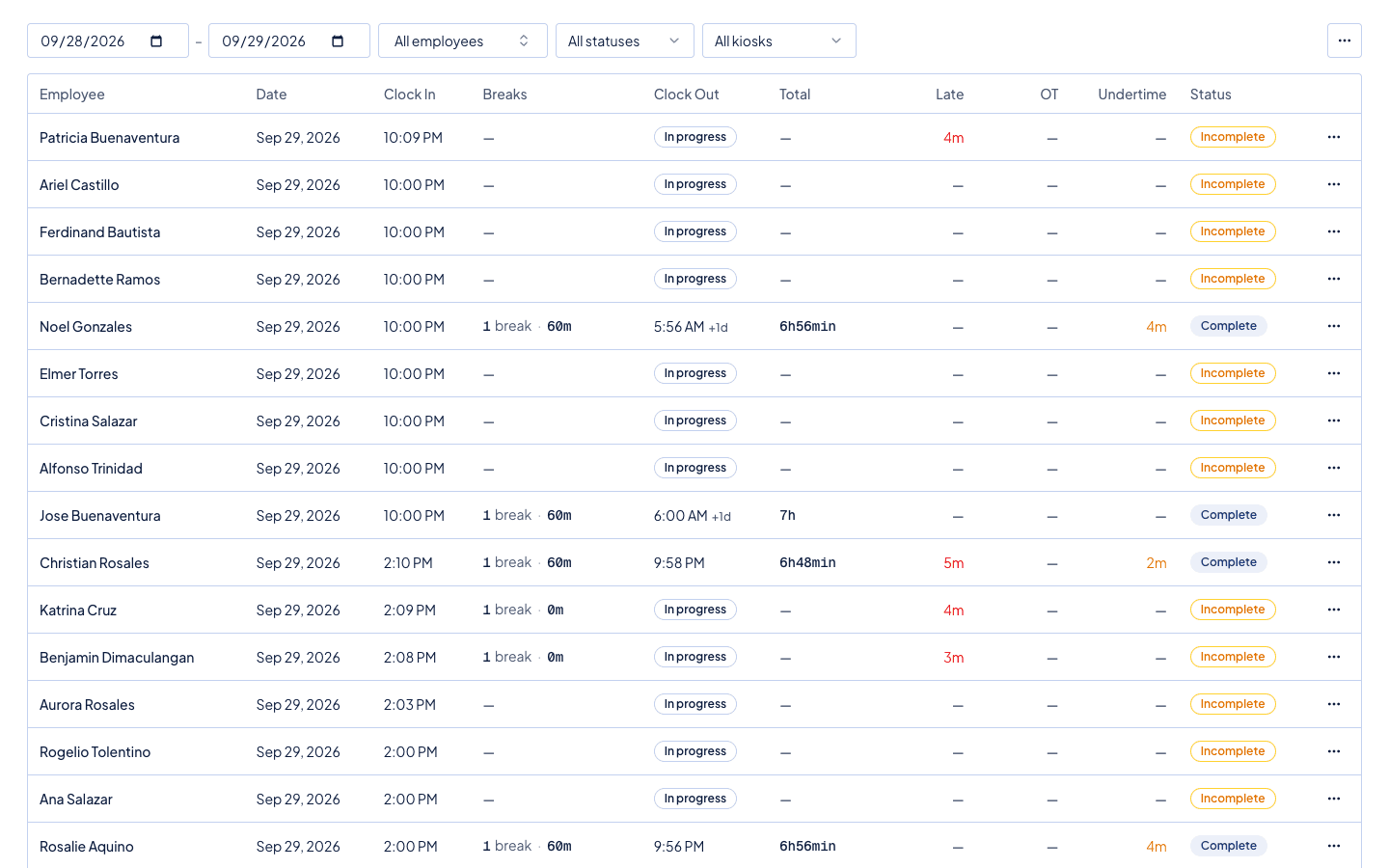
Click on an attendance record to see the full detail: clock-in time, clock-out time, scheduled start and end, and computed overtime hours.
Approving or rejecting overtime
From the attendance record detail, you can approve or reject the overtime. Approved overtime will be included in the payslip when you run payroll. Rejected overtime will not appear in the payslip, regardless of what the clock-out time says.
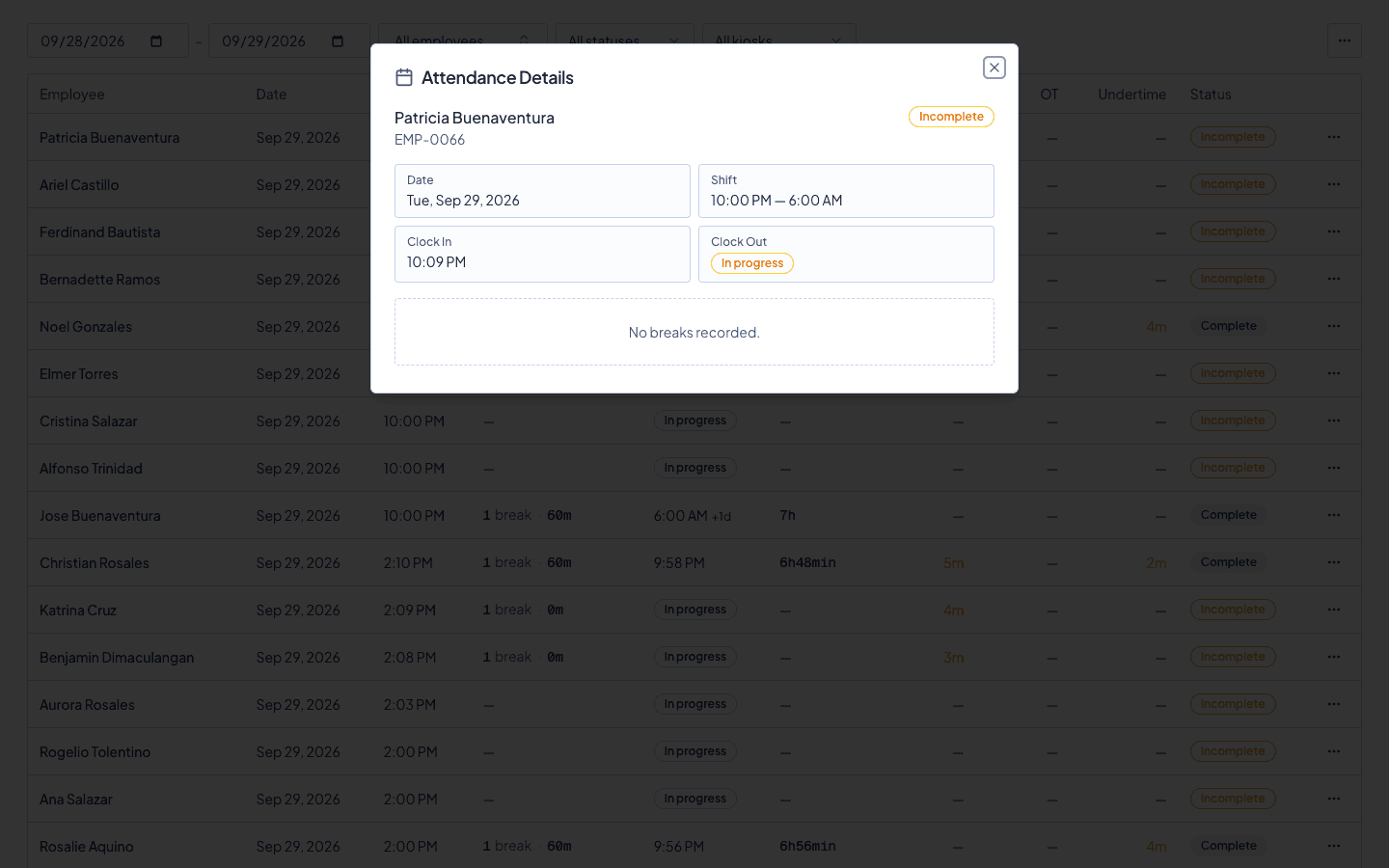
This is the control you need. If someone forgot to clock out and their record shows 8 hours of overtime, you reject it. If someone stayed late for a legitimate reason you authorized, you approve it. Payroll only includes what you've approved.
Overtime pay rates under Philippine law
Timekeep applies the correct overtime rates automatically:
Regular workday overtime. Hours beyond 8 hours on a regular workday are paid at 125% of the hourly rate. If the daily rate is ₱600, the hourly rate is ₱75, and overtime pays ₱93.75 per hour.
Rest day overtime. A rest day already pays 130% for the first 8 hours. Overtime on a rest day is 130% of the rest day rate, which works out to about 169% of the regular rate.
Regular holiday overtime. Regular holidays pay 200% for hours worked. Overtime on a regular holiday is 130% of the holiday rate.
Special non-working day overtime. Special non-working days pay 130% for hours worked. Overtime adds 30% on top of that.
These are all computed from the clock records and schedule, not entered manually.
Overtime and the payslip
Once you approve overtime for an attendance record, it appears in the payslip when you run payroll for that period. The payslip shows the overtime hours and the overtime pay as separate line items.
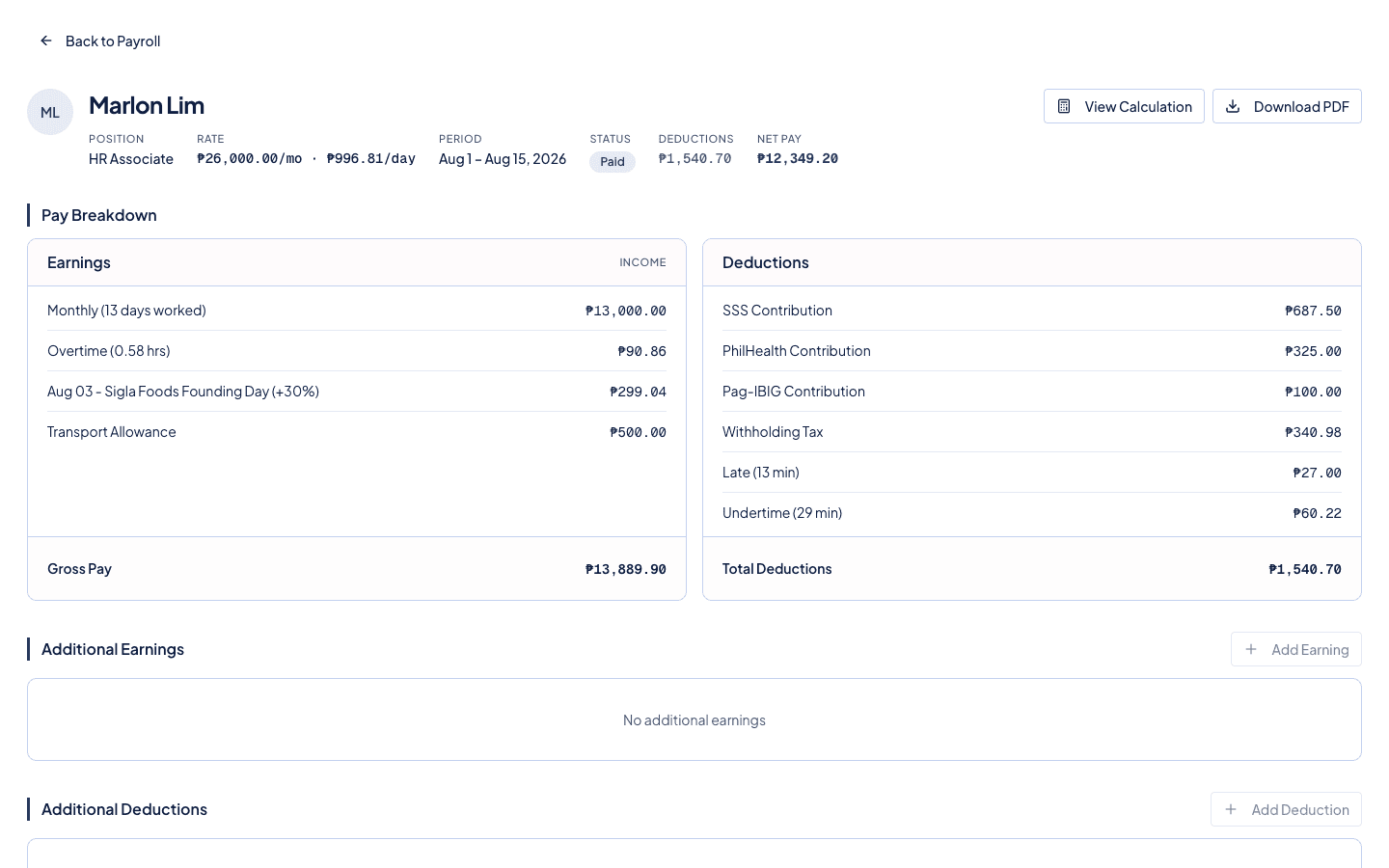
Your team can see the breakdown in the portal. If they stayed late and earned overtime, they can see exactly how it was computed.
Protecting against unplanned overtime costs
Overtime is a real cost. Without a review step, an employee who forgets to clock out could generate hours of overtime pay that was never authorized.
The approval process in Timekeep means every overtime payment goes through you first. Nothing gets added to payroll without your review. This isn't about distrust. It's about running your payroll with confidence, knowing every number was checked.
Try it free for 30 days at timekeep.ph.
Quick answers
Frequently asked questions
- How does Timekeep know when overtime started?
- Overtime begins after the employee's scheduled shift end time. If the shift ends at 5 PM and an employee clocks out at 6:30 PM, Timekeep records 1 hour and 30 minutes of overtime. Break time is excluded from the calculation.
- Do I have to approve overtime before it's paid?
- Yes. Timekeep flags overtime and waits for your approval. Overtime only appears in the payslip after you approve it. This prevents unplanned overtime from being paid without your review.
- How is overtime pay computed?
- Regular day overtime is computed at 125% of the hourly rate. Overtime on rest days is 130% of the rest day rate. Overtime on regular holidays is 130% of the holiday rate. All multipliers follow Philippine labor law.
- Can I reject overtime?
- Yes. If overtime was not authorized or was a clock-out error, you can reject it. Rejected overtime does not appear in the payslip.
- What if an employee worked overnight and clocked out the next day?
- Timekeep handles overnight shifts correctly. If the shift runs from 10 PM to 6 AM and the employee stays until 7 AM, one hour of overtime is recorded against the night shift schedule.
Make the next payday the easy one.
Set up in an afternoon, run your first cutoff, and see every peso explained on the payslip.
30 days free, no credit card. Then ₱999 a month for up to 10 employees.