
Approve leave in one place, and the balance updates itself.
Staff file from their phone, you approve or decline with a note, and the days reach the schedule and the payslip on their own.
What happens to one request
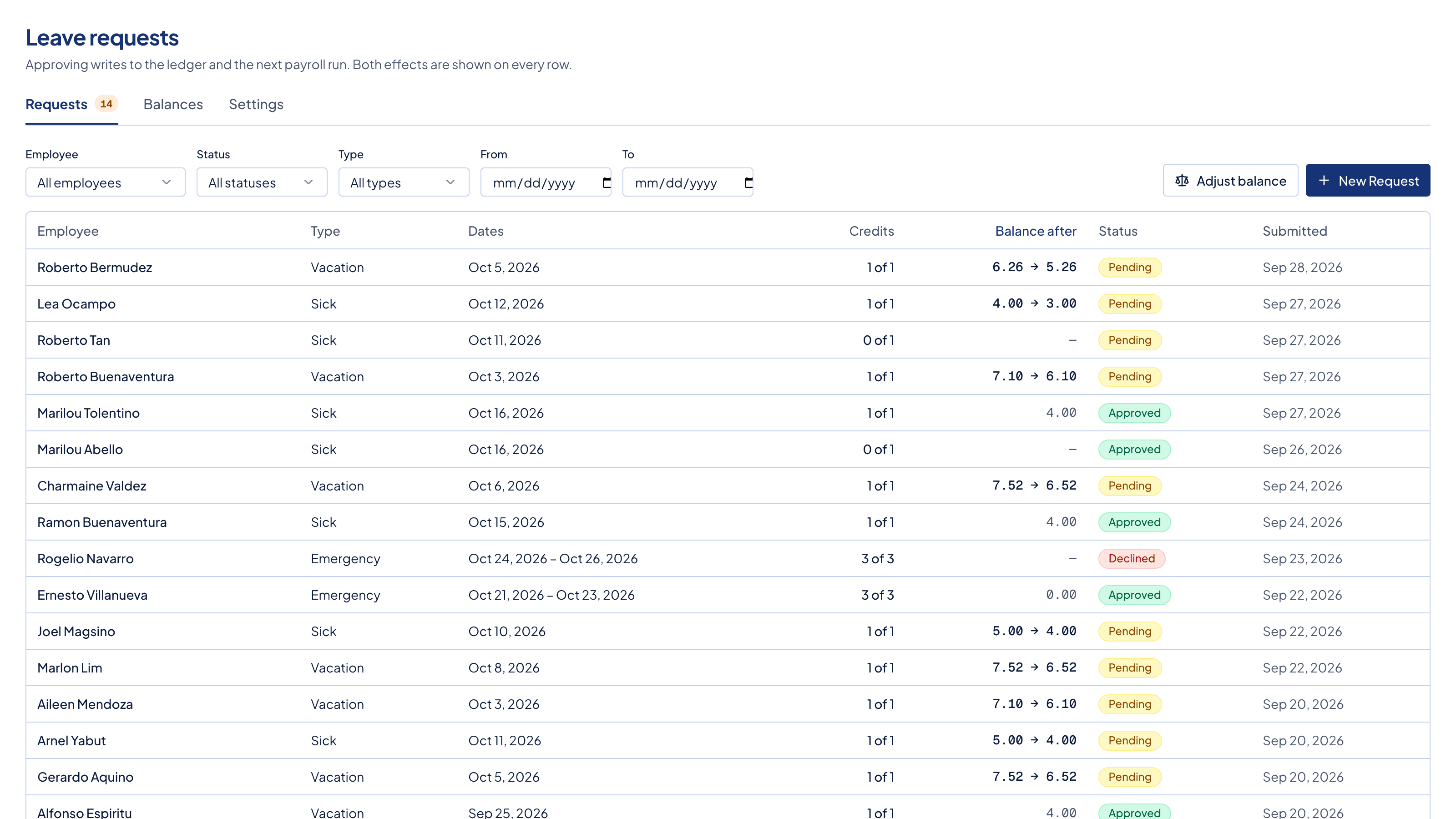
You approve it once, and nothing else needs telling.
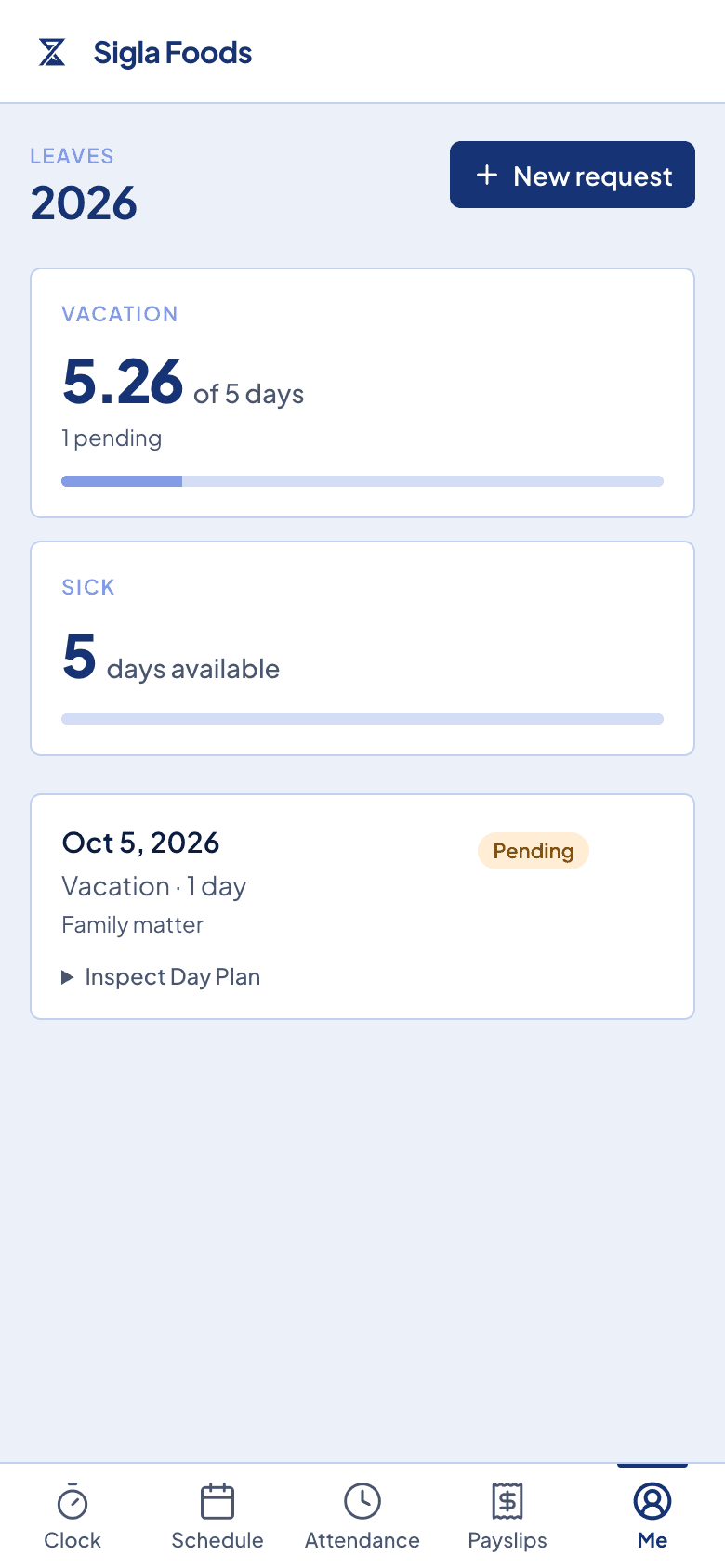
Staff file from their phone, or you file it for them. The dates are held, so nobody books the same day twice.
You approve or decline, and you can leave a note saying why.
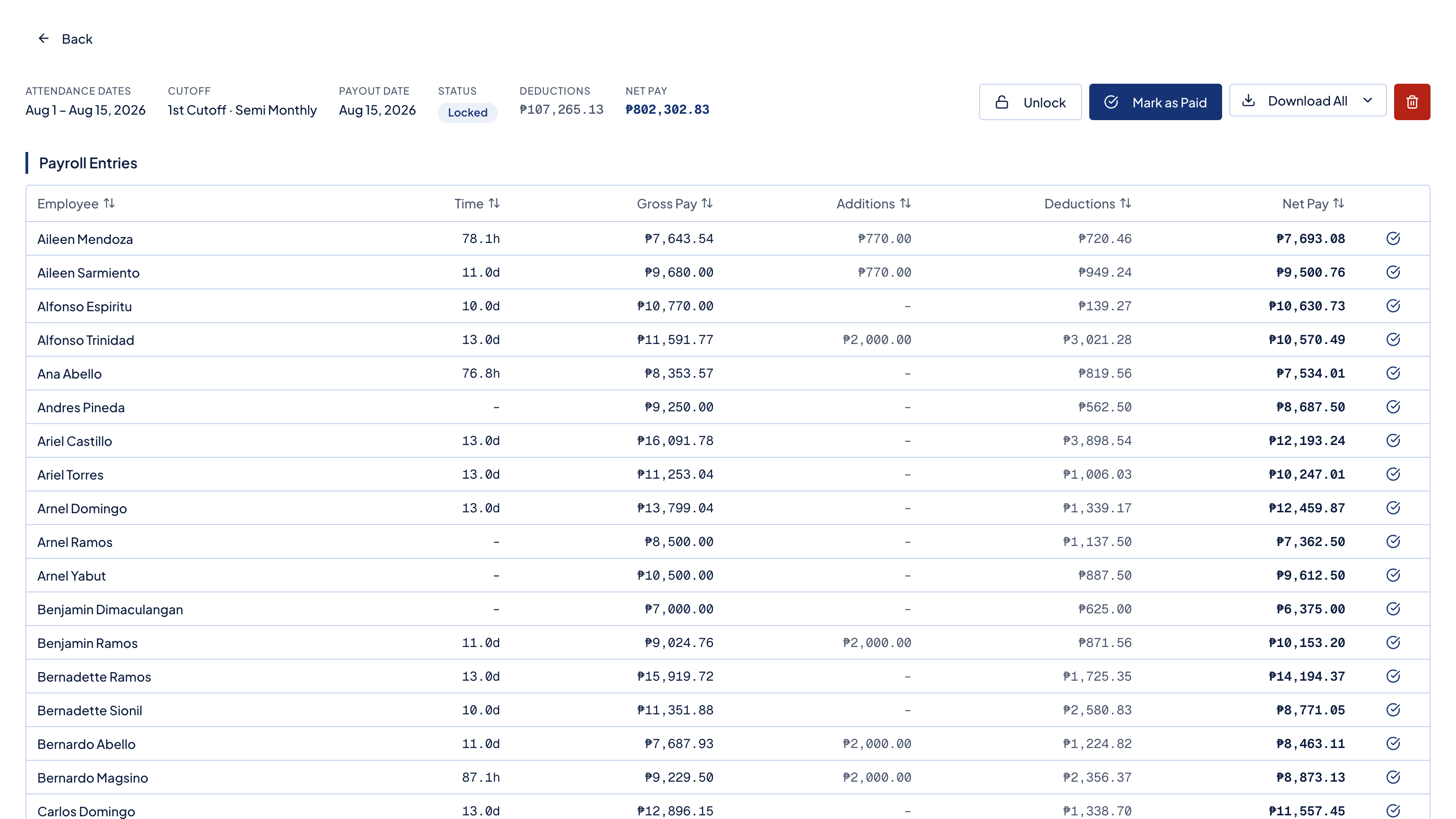
Approved days show on the week, come off the balance, and the payable ones are paid on the next run.
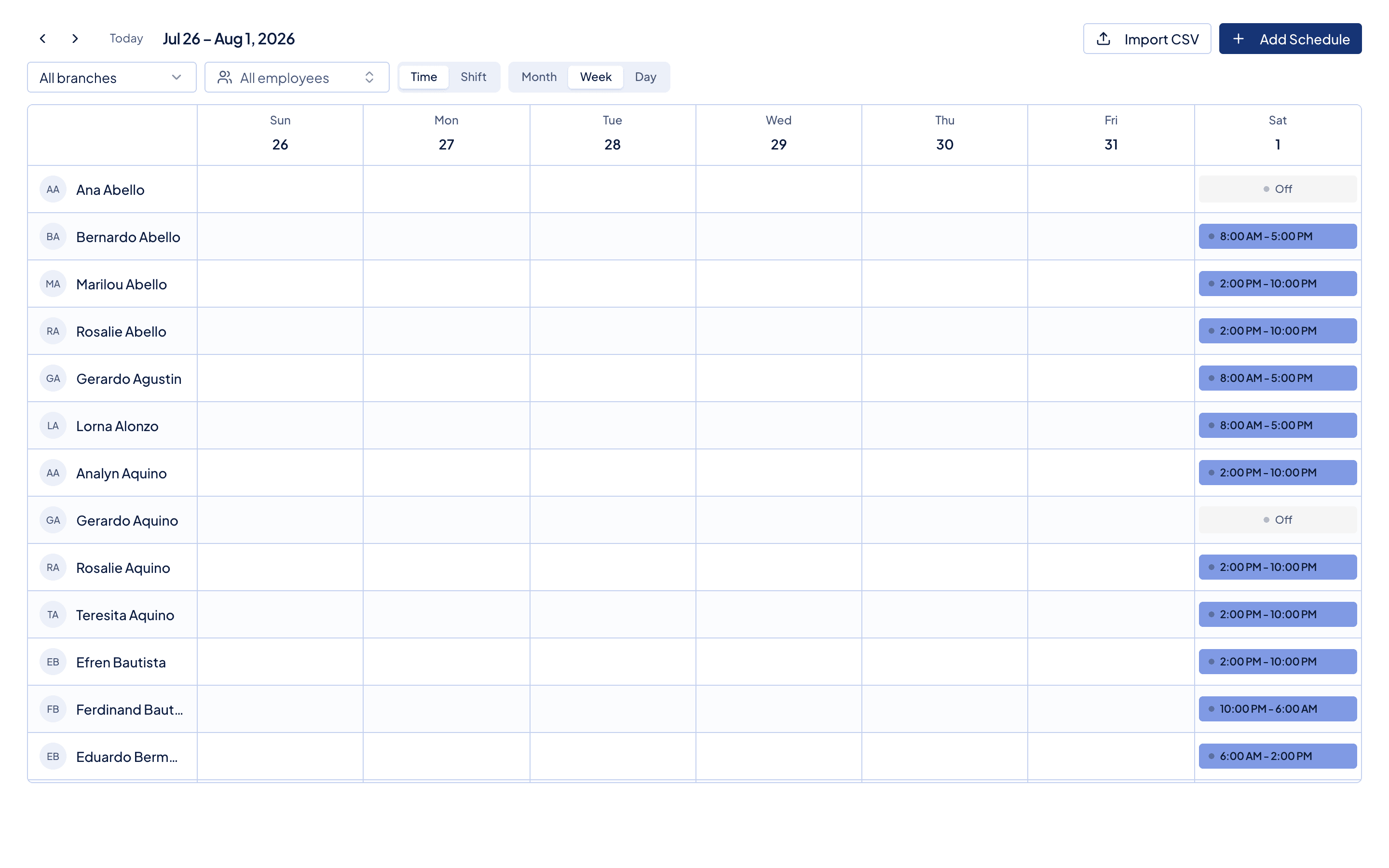
The week already knows who is away.
Approved leave sits on the same week you roster from, so you do not schedule somebody who is on leave and find out on the day.
What comes with it
The counting is the part you stop doing.
A balance that keeps itself
Each leave policy carries its days for the year. Approved days come off the balance without you keeping a second list.
Days that should not count, do not
Every day inside a request is marked on its own as paid or unpaid, and as counting against the balance or not.
Nobody books the same day twice
A date already held by a request that is pending or approved cannot be taken again.
Worked days beat leave days
If somebody actually worked on an approved leave day, the attendance wins and the day is not paid twice.
Before you ask
Questions owners ask on the first request.
- Do staff file it themselves?
- Yes, from the portal on their phone. You can also file one for somebody who cannot. Either way it lands in the same list to review.
- What comes off the balance?
- Only the days marked as counting against it. A rest day that falls inside the range does not eat somebody's leave.
- Is approved leave paid?
- Payable days are paid at the daily rate on the next run. Leave pay carries no overtime, no night premium, and no holiday premium.
- Can a request be cancelled?
- Yes. Timekeep keeps who cancelled it and when, so the history still explains itself later.
Next in the flow
Leave hands its days to these, without a second list.
Make the next payday the easy one.
Set up in an afternoon, run your first cutoff, and see every peso explained on the payslip.
30 days free, no credit card. Then ₱999 a month for up to 10 employees.