
Everyone knows the week before it starts.
Set each person's hours and rest days once, and attendance and payroll both read the same week.
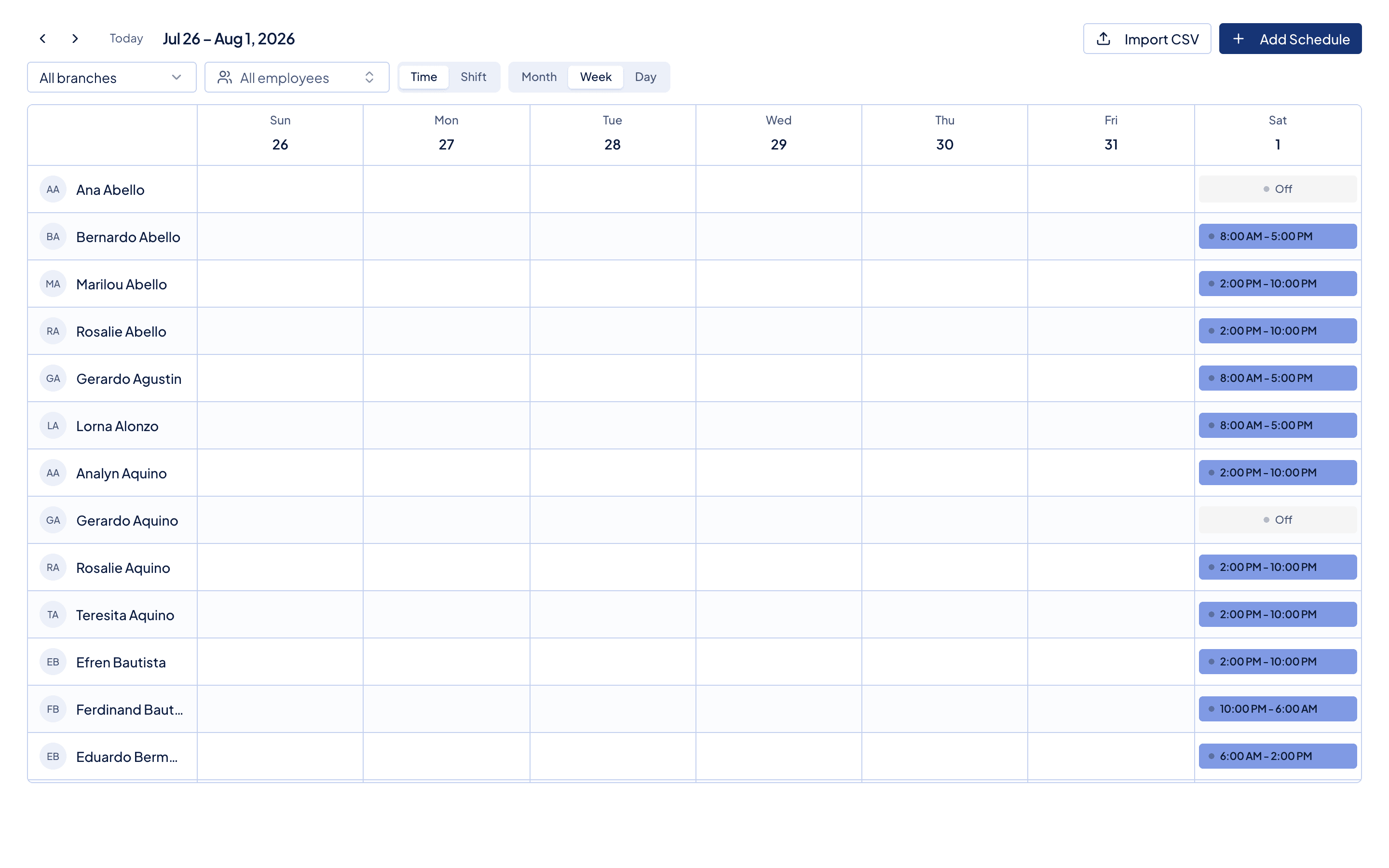
One schedule, three places it lands
You set it once.
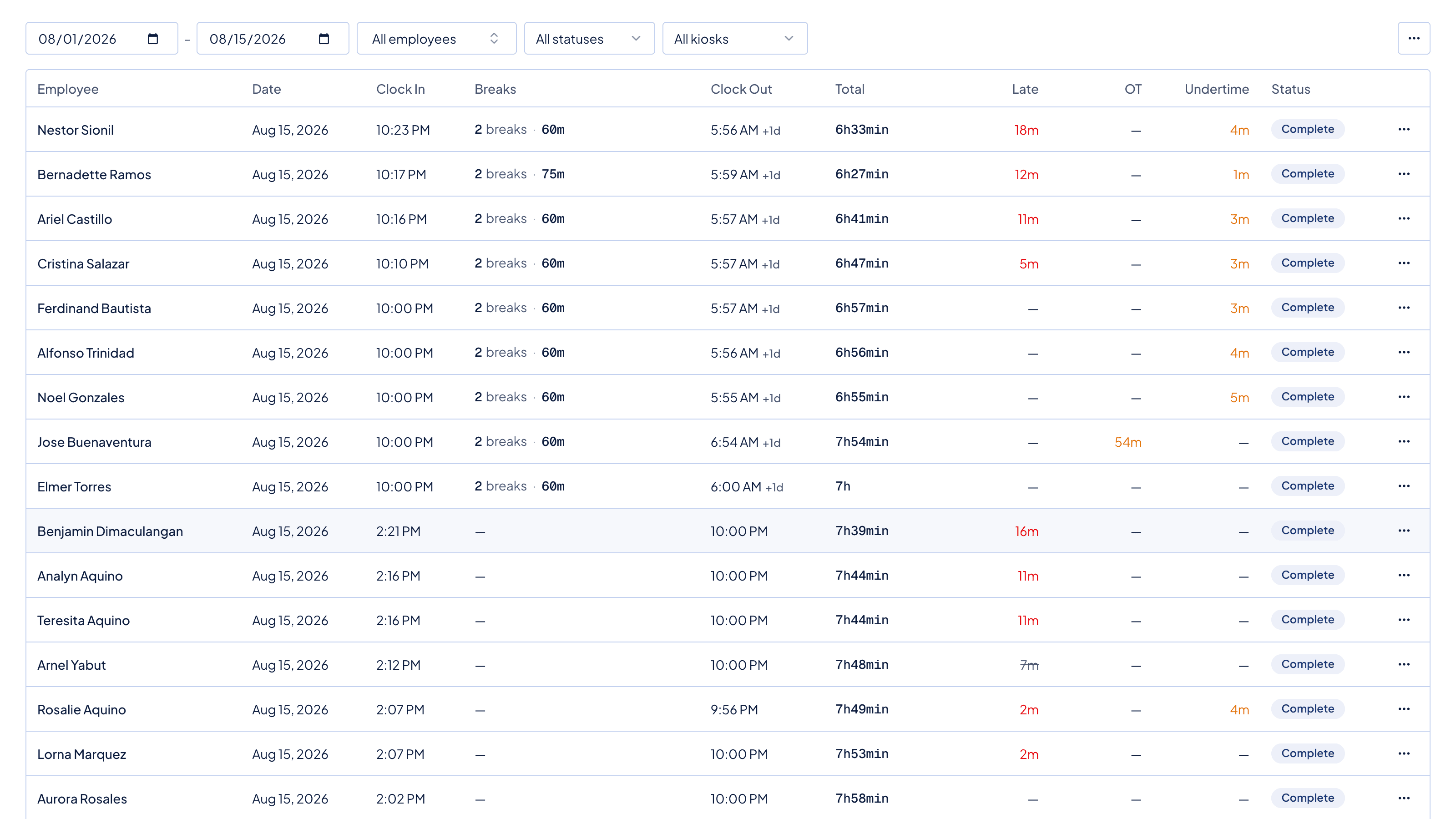
The clock-in is compared against the hours you set, so a late punch is flagged on the day, not on payday.
The schedule decides which hours are regular, which are overtime, and which fall on a rest day.
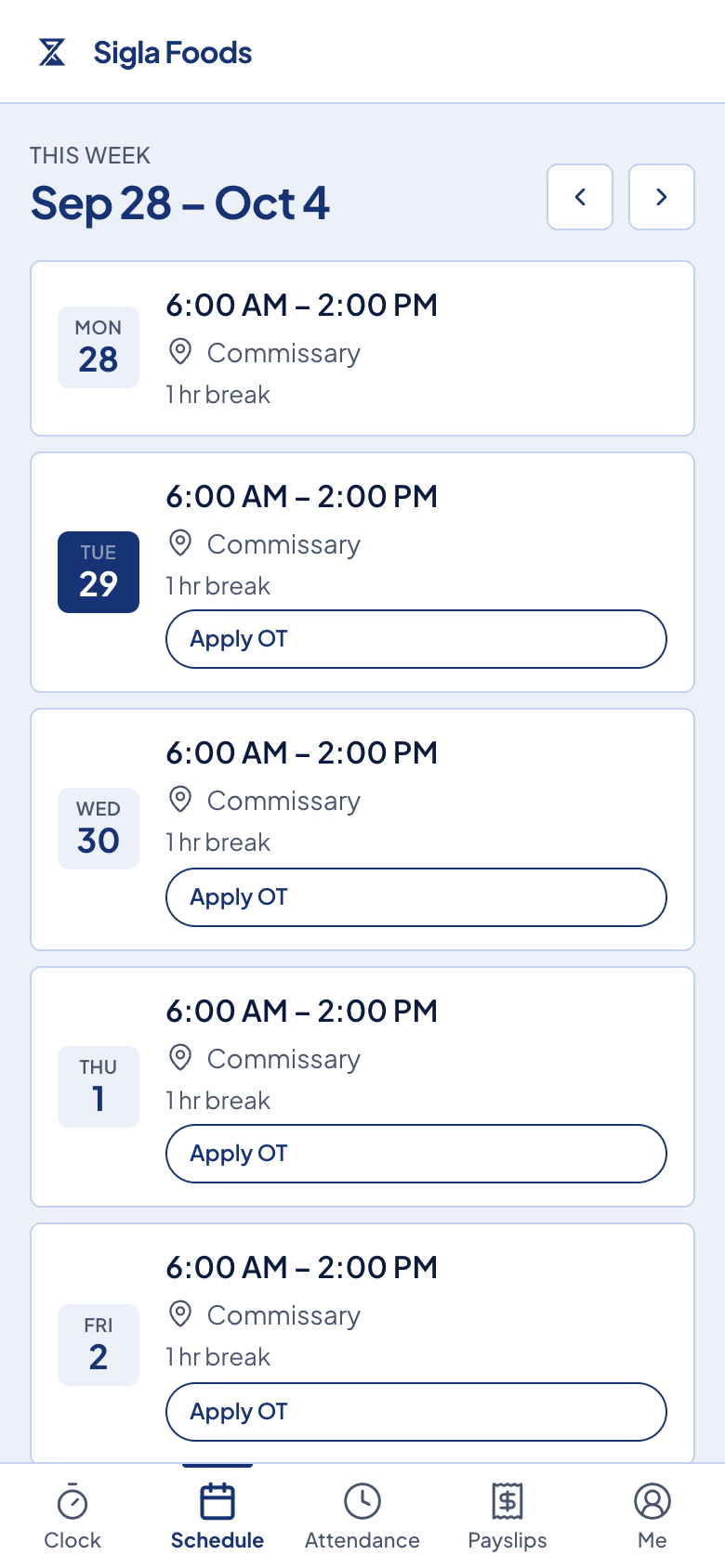
Staff open the week themselves, and stop asking you whether they are in on Friday.
Nobody has to message you to ask what time they start.
Each person opens the same week you saved, on their own phone. Their rest days and their approved leave are already on it.
What comes with it
The parts that used to live in a group chat.
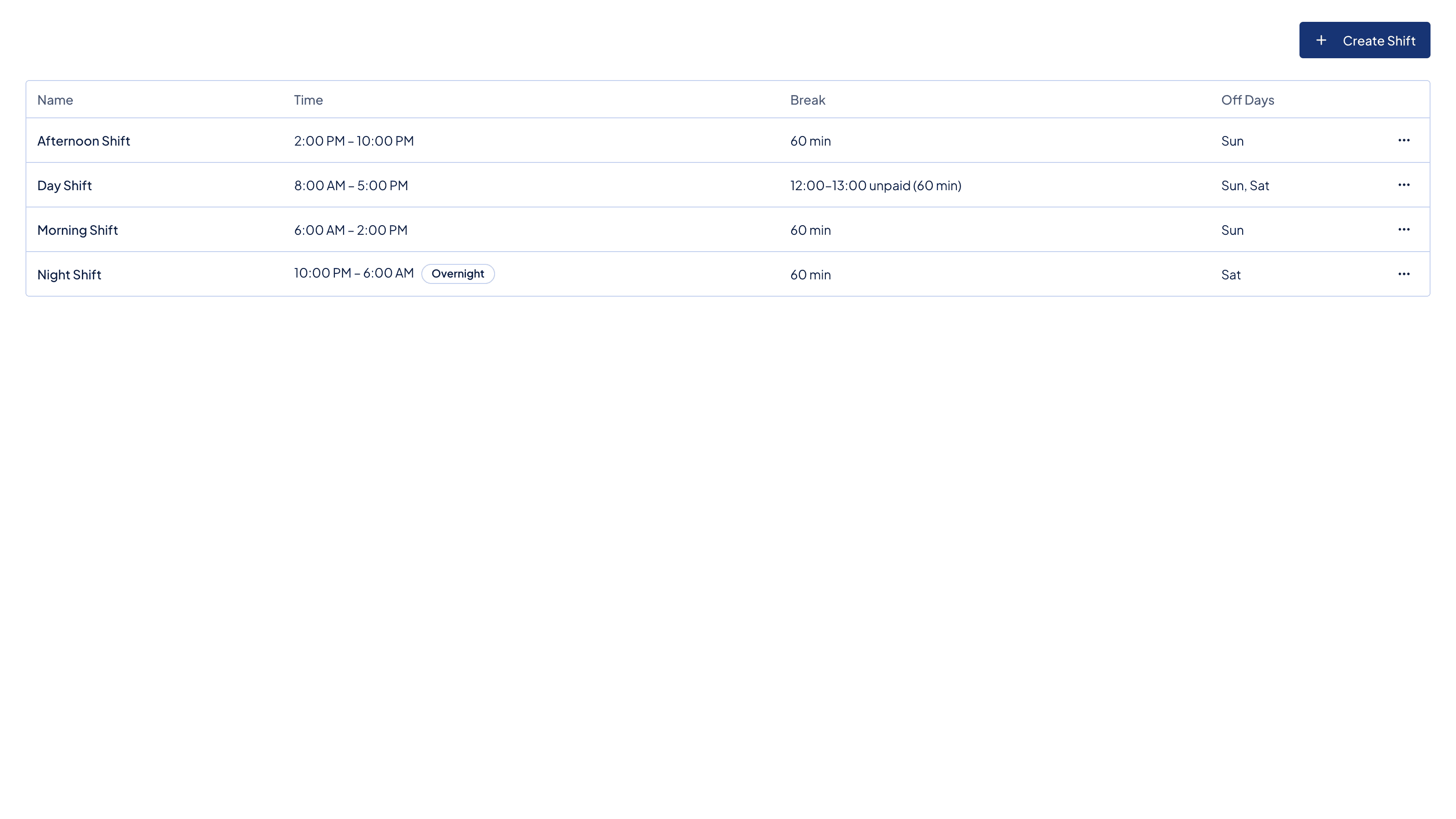
Shift templates
Choose a shift when you create the schedule, and its times, break, and night hours fill in. Leave it out and type the times yourself.
Rest days
Mark the rest day for each person. Work on that day is flagged, and payroll applies the premium.
Approved leave on the same view
Leave you approved shows on the week, so you do not schedule someone who is away.
A record of what you changed
If you move someone's hours, Timekeep keeps the previous times, the moment you changed them, and who did it.
Before you ask
Questions owners ask in the first week.
- Can each person have different hours?
- Yes. Tick one person or the whole team, set the dates, and each person gets their own schedule with its own start, end, and break.
- Do my staff see it?
- Yes, in the employee portal on their phone. They see their hours, their rest days, and any leave you approved.
- What if I change it in the middle of the week?
- The change applies from the date you set. Earlier days keep the hours they had, and Timekeep keeps a record of what you changed.
- Does the schedule change what I pay?
- Yes. It sets the hours that count as regular. Hours past the shift become overtime, and work on a rest day carries a premium.
Next in the flow
Scheduling hands its records to these, in the same week.
Make the next payday the easy one.
Set up in an afternoon, run your first cutoff, and see every peso explained on the payslip.
30 days free, no credit card. Then ₱999 a month for up to 10 employees.