
Shifts
Set the hours once, not every week.
A shift carries its start, its end, its break, and its night hours, so you stop typing the same times again.
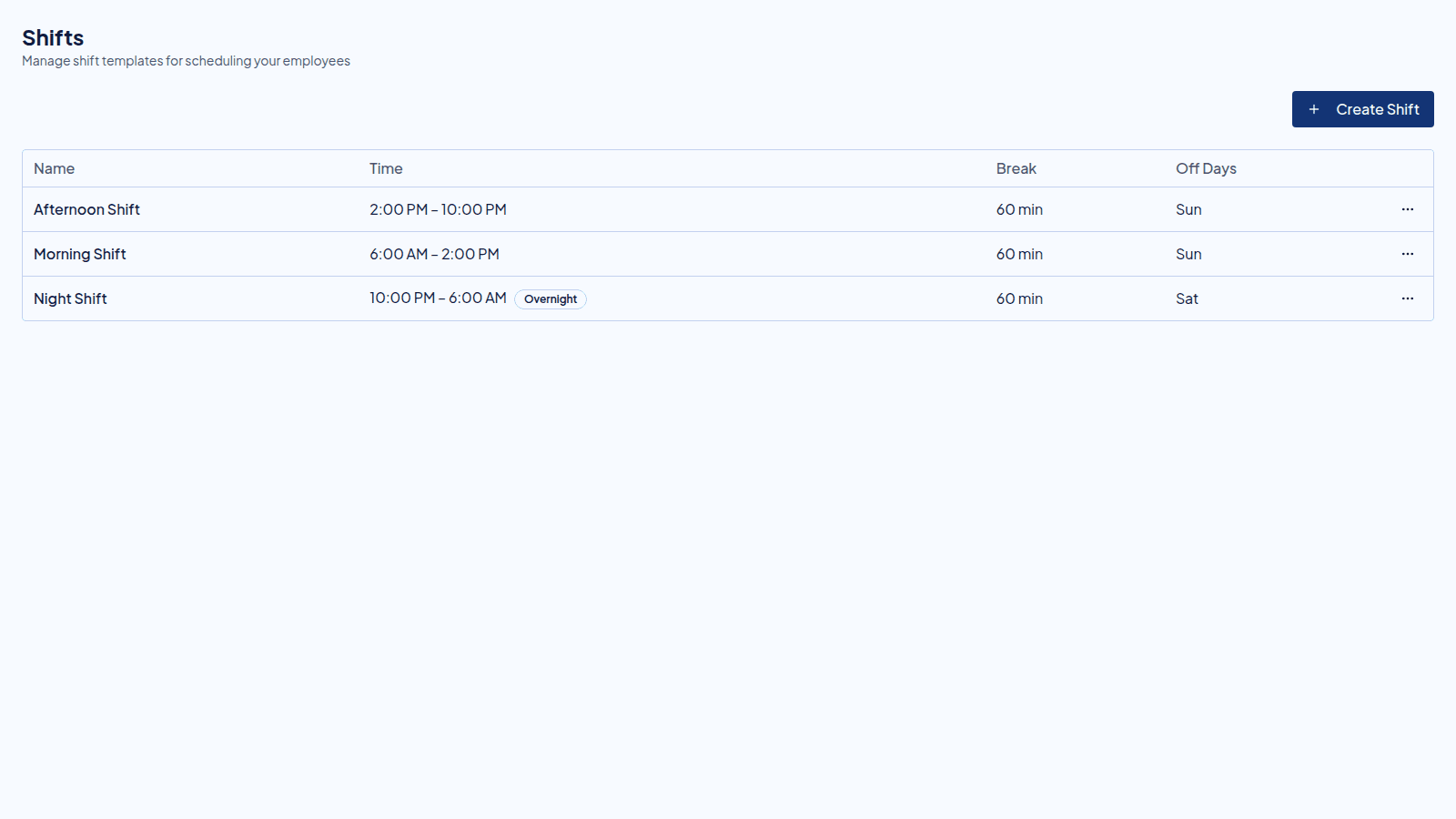
One shift, three places it lands
You define it once.
When you create a schedule, choose the shift and its times fill in. You can still change them for that one schedule.
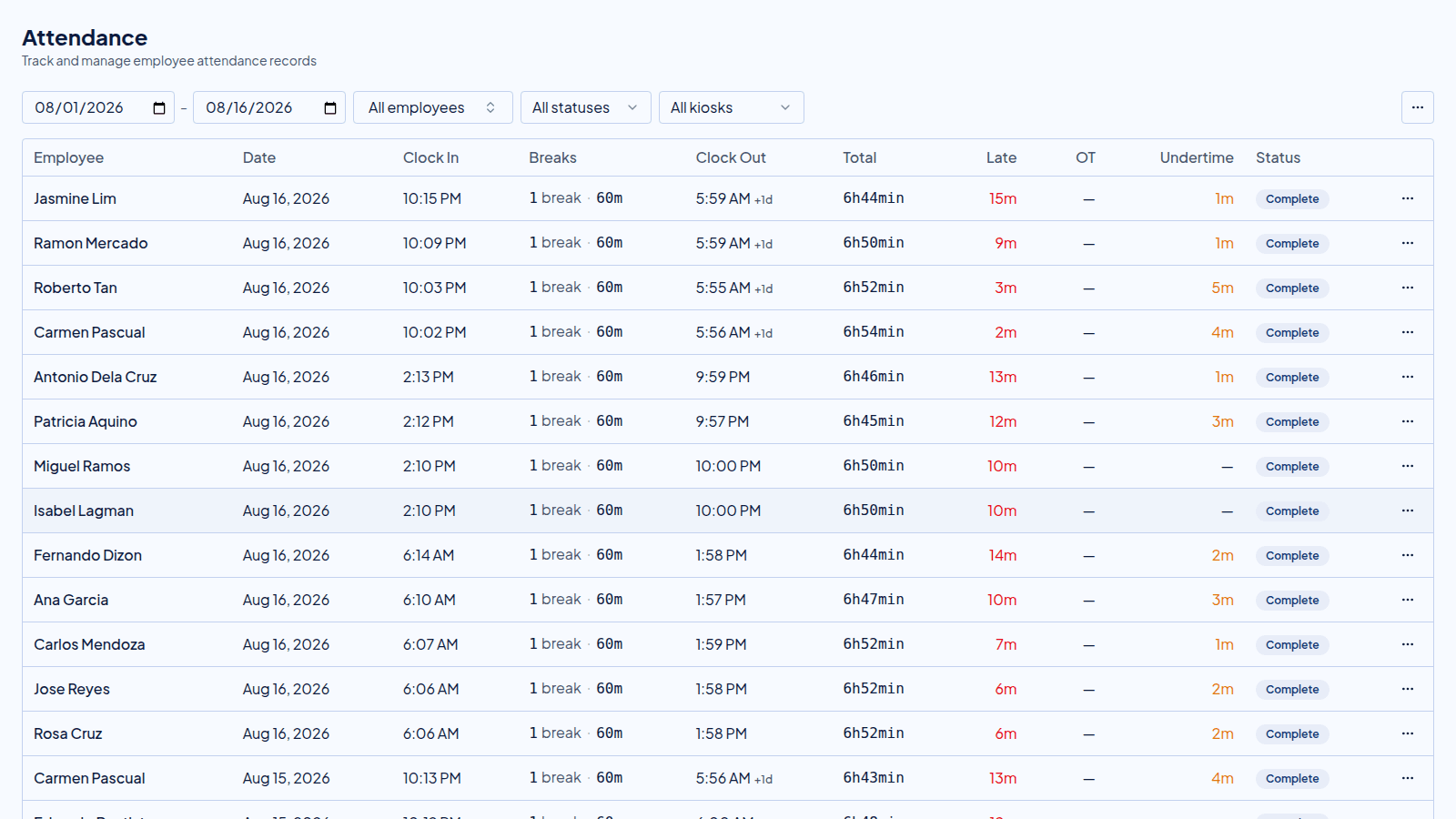
The shift is what a clock-in is measured against, so late and early are not a matter of opinion.
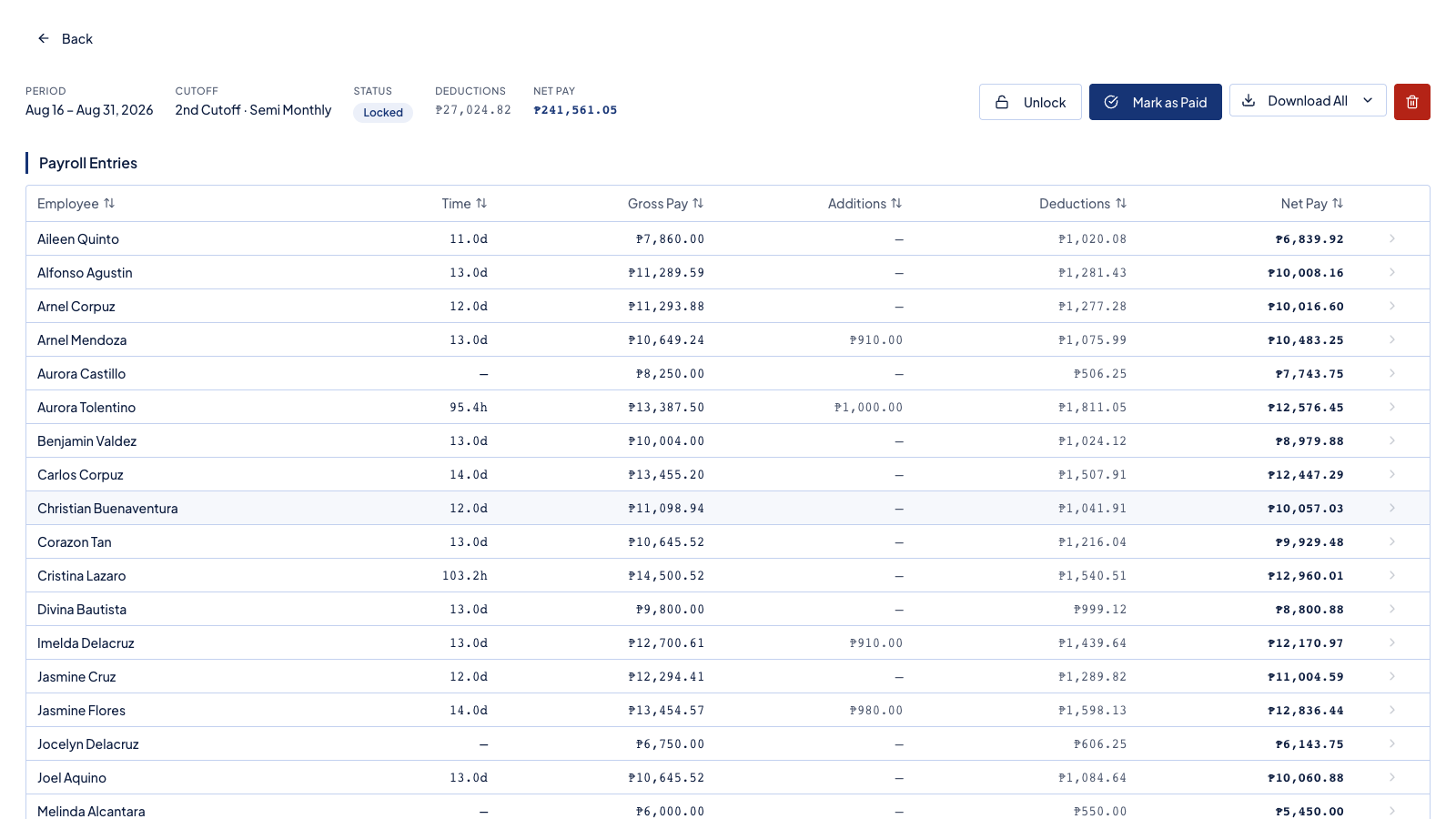
Hours inside the shift are regular. Hours past it are overtime, and night hours carry their own premium.
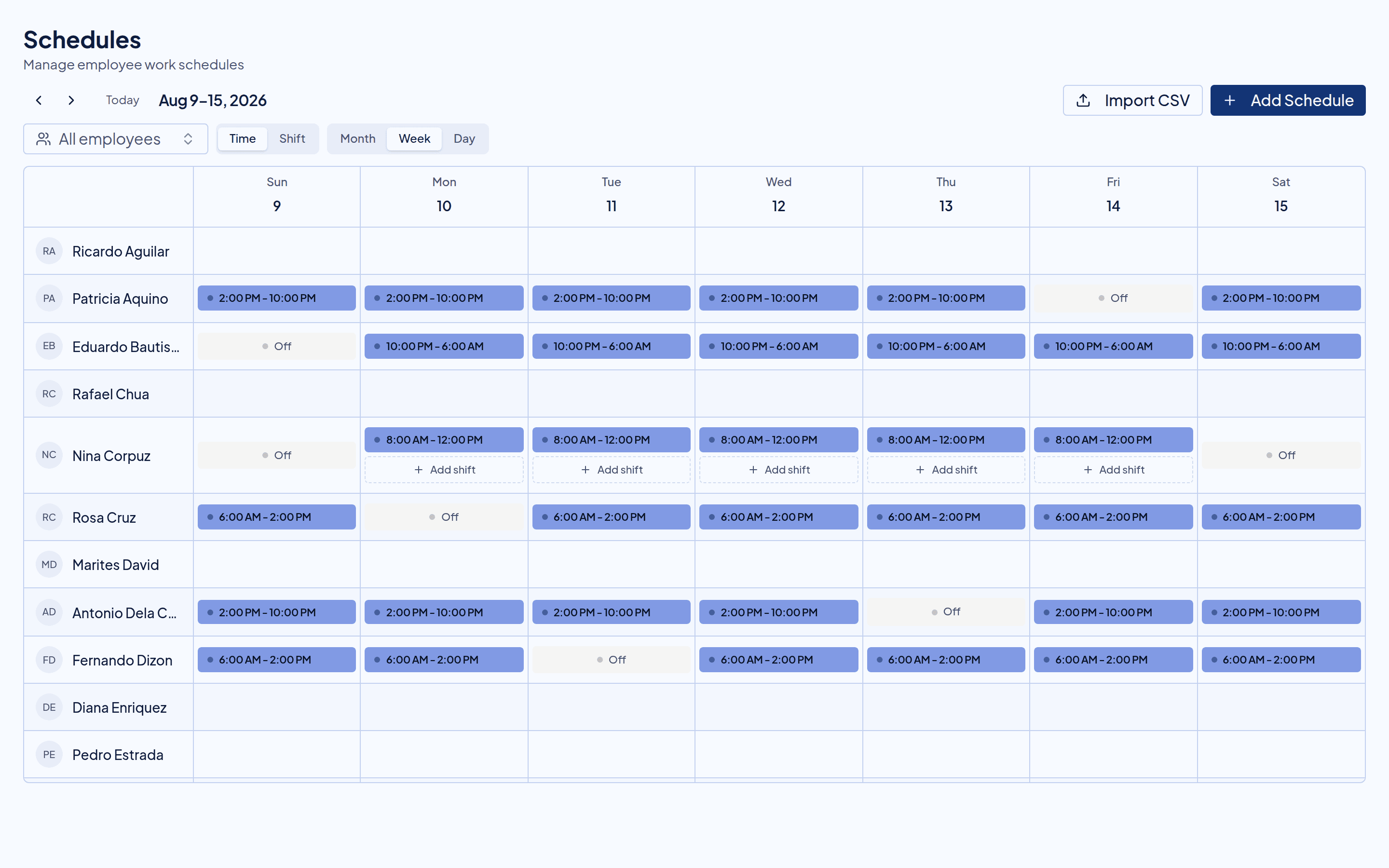
Choose the shift, and the times fill themselves in.
Create a schedule, tick everyone it applies to, and pick the shift. The start, the end, the break, and the night hours arrive already filled in.
What comes with it
The rules live on the shift, not in your head.
Its own break rule
Set how long the break runs. Break time is tracked apart from work hours, so it does not quietly become paid time.
Your own night hours
Night hours run from 10 PM until 6 AM unless you set a different window on the shift.
Rest days on the template
Mark which weekdays are off. Every schedule made from the shift starts with those days already set.
A shift per part of the day
Opening, closing, or graveyard. Give each one a name your staff already use.
Before you ask
Questions owners ask when they set these up.
How do I make a shift?
Give it a name, a start time, an end time, and a break. It is then ready to assign to anyone on the schedule.
Can two people work different shifts on one day?
Yes. A shift is assigned per person, per day. One person opens while another closes.
If I change a shift, do old schedules change?
No. A schedule keeps the times it was made with, so pay you already ran does not move. New schedules use the new times.
How are night hours counted?
Hours that fall inside the night window are counted apart from the rest, and payroll adds the night premium to them.
Next in the flow
Shifts hand their rules to these, every day.
Try it beside your spreadsheet.
Run one cutoff in Timekeep and compare it against the sheet you keep now. If the numbers do not match, you have lost nothing.
30-day free trial. No credit card. Cancel anytime.