
Give an employee a regular allowance
Set up an allowance, such as rice or transport, once so Timekeep adds it to every payroll.
Updated Oct 2, 2026
Before you start
You must be an owner or manager. Supervisors can see allowances but cannot change them.
Steps
Go to Staff and click the employee's name.
Scroll down to Allowances and click Add Allowance.
In Label, type the name to show on the payslip.
In Amount (₱), type the monthly amount, or the rate for a per-day or per-hour allowance.
Choose a Computation Type:
- Fixed is a set amount each month.
- Per Day Worked pays the rate for each day the employee clocked in and out. Paid leave and unworked holidays do not count.
- Per Hour Worked pays the rate for each hour between clock-in and clock-out, minus breaks. Overtime counts too, even if it was not approved.
If the employee's Salary Type is Fixed Semi-Monthly, only Fixed appears. For staff with Full Day Clock In on, a clock-in alone counts as a day worked, and hours after the scheduled end are not counted.
Choose a Schedule. A cutoff is one half of the month.
- Every Cutoff (split 50/50) pays half of a fixed amount on each cutoff. On weekly payroll it pays a quarter each week.
- 1st Cutoff Only and Last Cutoff Only pay the whole amount on one cutoff. They are never paid on weekly payroll.
A per-day or per-hour rate is never split. The schedule only picks which cutoffs pay it.
Choose a Tax Type. Taxable is added to gross pay, so it counts toward withholding tax and can raise government contributions, such as SSS. Exempt is added after all deductions, so it is not taxed and does not change contributions. Timekeep does not check the BIR limits for tax-free allowances, so ask your accountant before you choose Exempt.
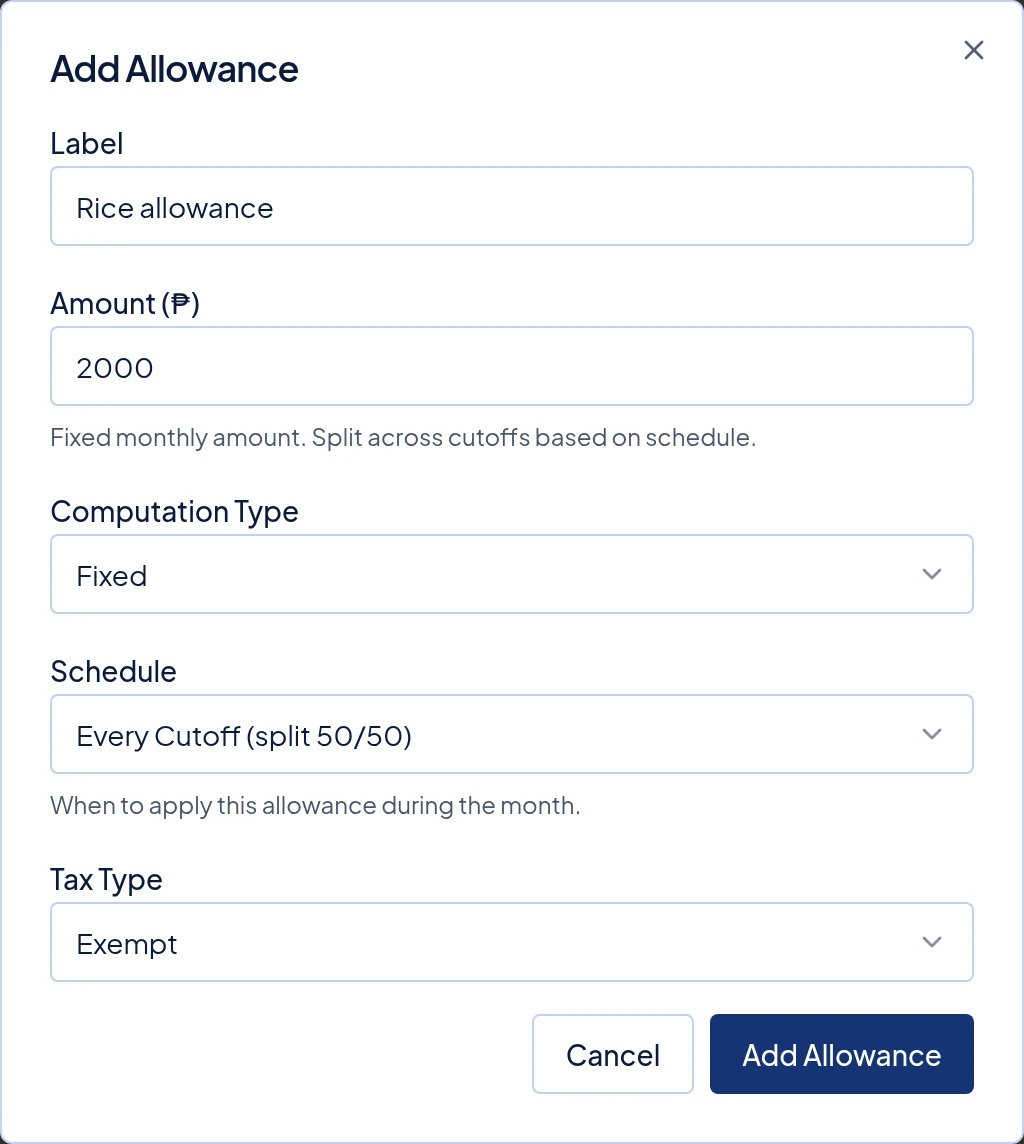
A ₱2,000 rice allowance, Fixed, paid on Every Cutoff (split 50/50) and set as Exempt. Click Add Allowance.
What happens next
Example: Liza has a ₱2,000 Fixed rice allowance on Every Cutoff (split 50/50), and ₱50 Per Day Worked for transport. In a cutoff where she works 11 days, she gets ₱1,000 rice (₱2,000 ÷ 2) and ₱550 transport (₱50 × 11).
On the payslip, taxable allowances appear under Earnings. Exempt ones appear under Exempt Allowances.
If the employee already has a payslip in a payroll that shows Draft, that payslip updates right away. Locked and paid payslips keep their old amounts.
An allowance is paid until you remove it. Open the menu at the end of its row, click Delete, then Remove. There is no edit, so to change one, delete it and add it again.
Common problems
- The allowance is missing from a locked payroll. Locked payslips are not rebuilt. Go to Payroll, open the run, click Unlock, then follow Rerun a draft payroll. If the run is already paid, it cannot change, so use Add Earning on the employee's payslip in the next run. An amount added that way is not taxed and does not change contributions, so ask your accountant if the allowance was Taxable.
- A weekly employee got no allowance. Weekly payroll pays only Every Cutoff (split 50/50) allowances. Delete it and add it again with that schedule.
- A weekly employee got more than the monthly amount of a Fixed allowance. Each weekly payroll run pays a quarter, so a month with five runs pays five quarters. This is expected.