
How late time, undertime and absences reduce pay
See how Timekeep counts late time, undertime, overbreak and absences, what each one costs, and where it shows on the payslip.
Updated Oct 2, 2026
Before you start
Only the business owner can open Payroll Settings. Late time, undertime and absences are all measured against the employee's schedule, so give every employee a schedule. Fixed Semi-Monthly staff are never charged for any of this.
Steps
Go to Payroll Settings and find the Time tracking card.
Set Grace period, the minutes of lateness you forgive each day. With 10 minutes, arriving 25 minutes late is charged as 15 minutes.
You can leave Early clock-in window as it is. It sets how early a clock-in still counts for the shift, and it does not change late minutes.
Set Deduct per late minute. Leave it blank to use each employee's hourly rate. Enter an amount, such as 2, to charge that many pesos per late minute. Enter 0 to charge nothing for late minutes.
Turn on Count late from the start to charge all the late minutes once someone passes the grace period. Then 25 minutes late is charged as 25.
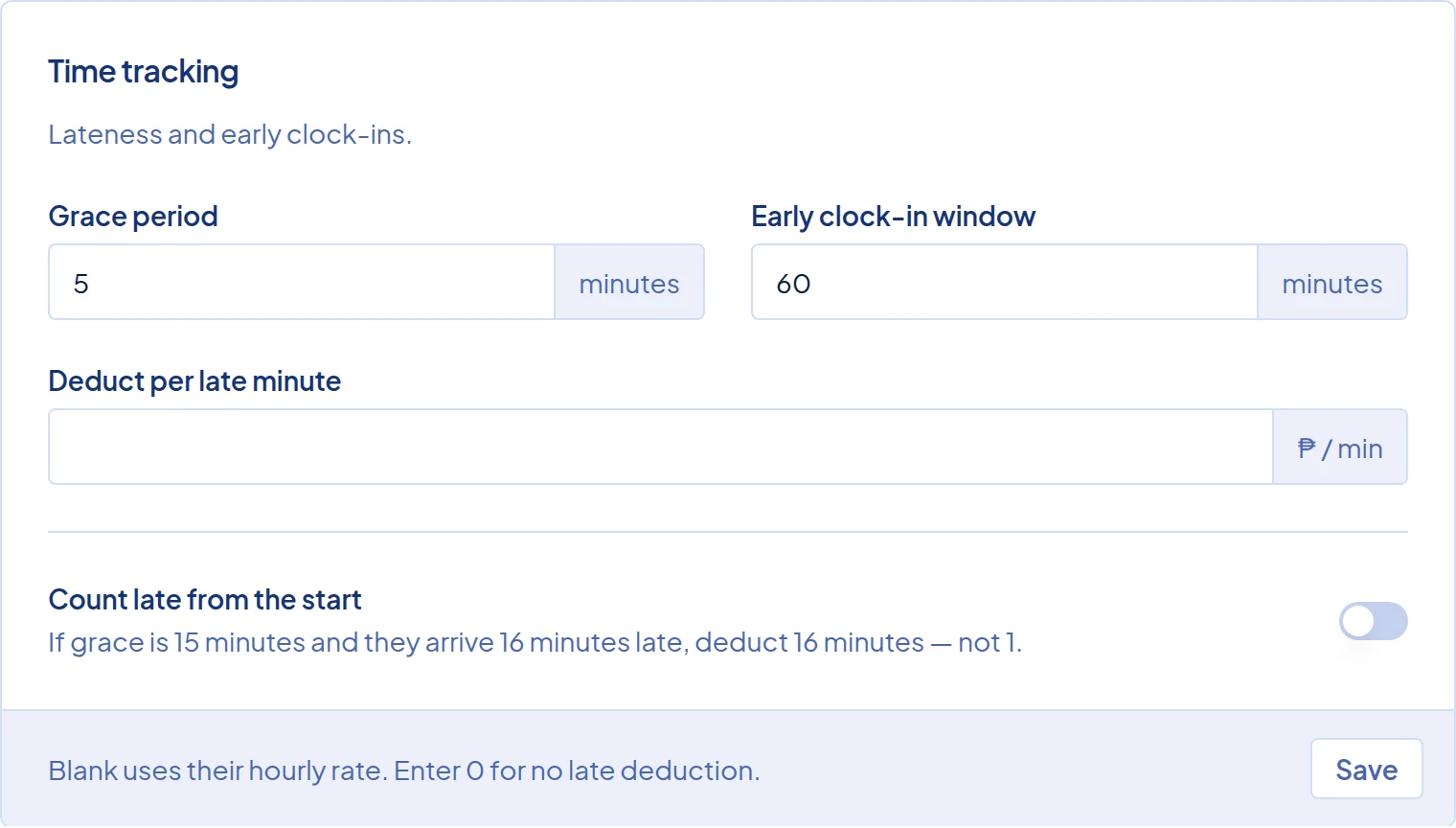
The Time tracking card in Payroll Settings, with the grace period, early clock-in window and late deduction fields. Click Save.
Grace period and Count late from the start apply to new attendance. To apply them to attendance already saved, recalculate the attendance.
What happens next
Payroll charges these when you click Run Payroll. A payroll run that already has payslips keeps the old amounts until you rerun the draft.
For Daily and Monthly staff, the hourly rate is the daily rate divided by the working hours on that day's schedule, without the break. Hourly staff use their own rate.
- Late time is the minutes after the scheduled start, less the grace period. Each minute costs the hourly rate divided by 60, or your Deduct per late minute amount.
- Undertime is time short of a full day, priced at the hourly rate. With A full day is set to 8 hours (DOLE) in the General card, it is the minutes short of 8 hours from the scheduled start. With Scheduled hours, it is the minutes before the scheduled end.
- Overbreak is break time longer than scheduled. With 8 hours (DOLE), it counts against the 8 hours, so it shows as undertime only if the time is not made up. With Scheduled hours, only Hourly staff are charged for it.
For Daily and Hourly staff, a missed workday is unpaid and shows no absence line. Monthly staff lose one daily rate for each scheduled workday with no completed attendance and no approved leave. Approved leave on a workday is paid. Daily and Hourly staff get a Leave Pay line, and Monthly staff are not charged for the day.
For example, Liza earns ₱640 a day on an 8:00 AM to 5:00 PM schedule with a one-hour break. Her hourly rate is ₱640 ÷ 8 = ₱80. The grace period is 10 minutes. She clocks in at 8:25 AM, clocks a one-hour break, and leaves at 4:30 PM.
- Late: 25 − 10 = 15 minutes × ₱80 ÷ 60 = ₱20.00
- Undertime: 30 minutes × ₱80 ÷ 60 = ₱40.00
Her Regular Pay keeps the full ₱640.00, and ₱60.00 comes off in Deductions.
Each charge appears in the Deductions card on the payslip only when it is more than zero, such as "Late (15 min)". The Absent line shows the number of days instead of minutes. The employee portal shows the same lines without minutes. To waive minutes that were recorded correctly, excuse the late time or undertime.
Common problems
- A part-time employee gets undertime every day. 8 hours (DOLE) expects 8 hours of work, but a Daily or Monthly employee's hourly rate is based on the hours in their schedule. On a 4-hour shift, they get 4 hours of undertime every day at the daily rate ÷ 4, which wipes out the whole day's pay. Go to Staff and open the employee. In the Settings card, set Shift Mode to Schedule-Based and click Save Changes. Then recalculate their attendance and rerun any draft payroll.
- A Monthly employee was charged an absence on a day they worked. The day probably has no clock-out, so it is not complete. Follow Review incomplete attendance before payroll, then rerun the draft.
- A Monthly employee was marked absent on a leave day. Only approved leave counts, so the request may still be pending. Approve it, then rerun the draft payroll.