
Log in to the employee portal
Open your employer's portal on your phone with your 6-digit PIN.
Updated Oct 9, 2026
Before you start
You need two things from your employer:
- The portal link for your company. Every company has its own address, such as
www.timekeep.ph/mabuhay-foods/portal. - Your 6-digit PIN. Timekeep creates it when your employer adds your record, so you never pick it yourself. It is the same PIN you use on the kiosk.
Steps
Open the portal link in the browser on your phone. Your company name shows at the top, with Employee Portal under it.
Tap your PIN on the keypad under Enter your 6-digit PIN. If you tap a wrong digit, the backspace key takes it off, and the X key clears them all.
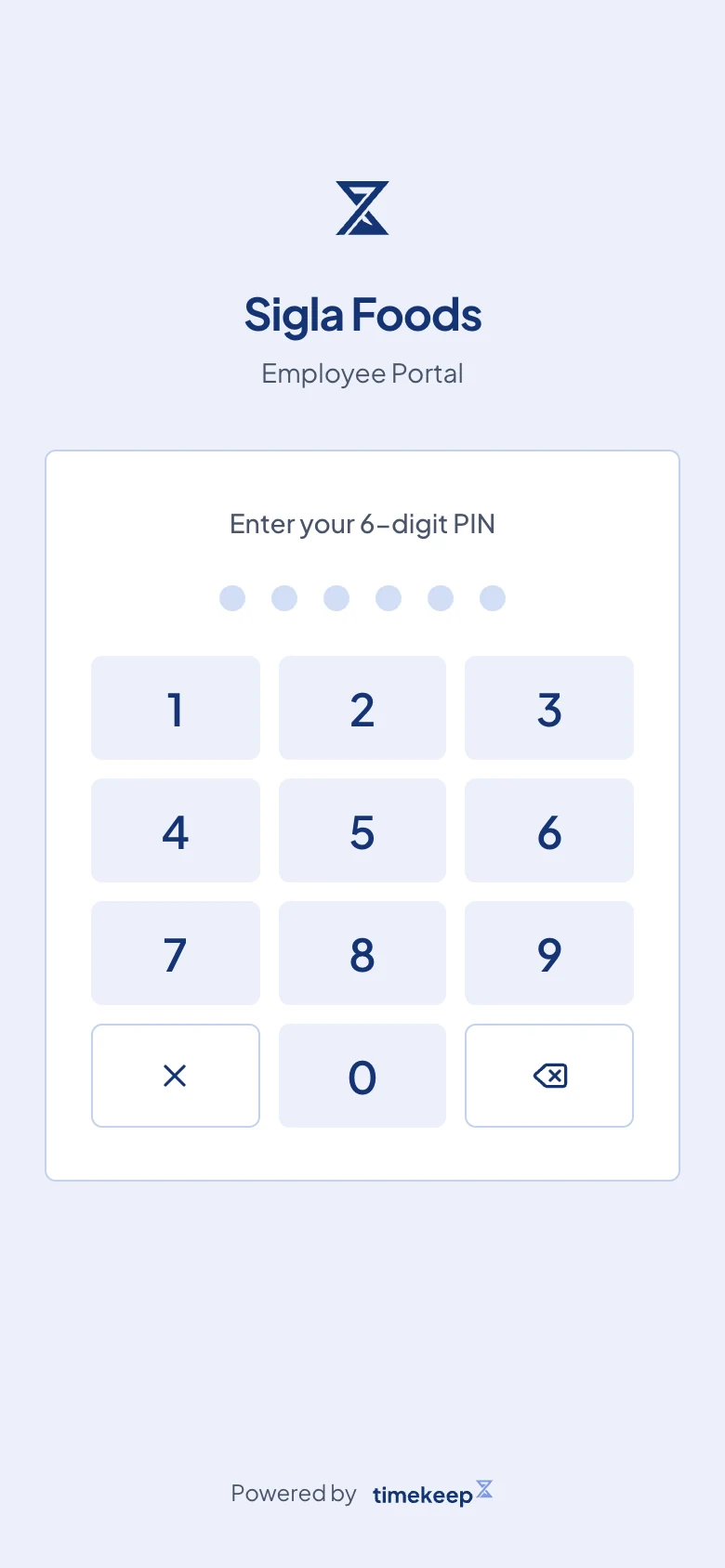
The portal login screen. There is no submit button, so you do not need to look for one. The portal checks your PIN as soon as you tap the sixth digit.
If a card says Keep Timekeep on your Home Screen, tap Install to keep the portal one tap away. On an iPhone, open the Safari menu and tap Add to Home Screen instead.
What happens next
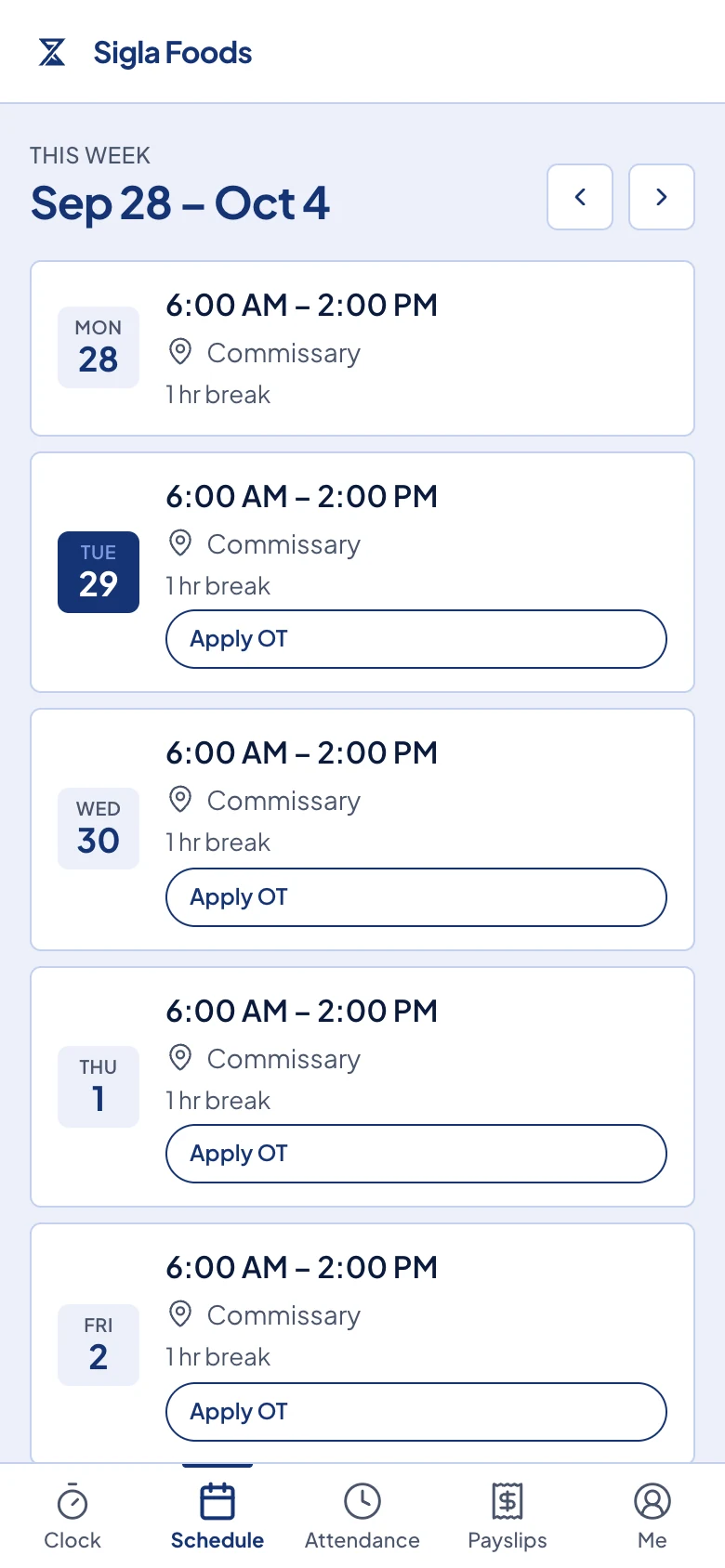
You land on Schedule. What the bar at the bottom of the screen holds depends on whether your employer lets you clock in from your phone:
- If you can clock in from your phone, the bar starts with Clock, then Schedule, Attendance, Payslips and Me.
- If not, the bar holds Schedule, Attendance, Payslips, Leaves and Me.
Tap Me to see your name and employee number. The same page has More, which holds the pages that do not fit in the bar, such as Documents and Loans. When Clock is in the bar, Leaves moves to More as well. Log out is there too.
You stay logged in on that phone for 30 days, so you do not enter your PIN every day.
Common problems
Invalid PIN. The dots shake and empty when the PIN does not match. Try again slowly, and check the digits with your HR or your manager if it still fails. After five wrong tries the keypad locks for 30 seconds, then you can try again.
You forgot your PIN. The portal cannot reset it for you. Ask your HR or your manager to open your record in Timekeep, where they can read your PIN or generate a new one. A new PIN stops the old one from working, both on the portal and on the kiosk.
You do not have the link. Ask your HR or your manager for it. It is the same link for everyone in your company, and they can copy it from Settings in Timekeep.