
Request a leave
Ask for time off from your phone, follow its status, and cancel it while it is still pending.
Updated Oct 9, 2026
Before you start
- You need to be logged in to your employer's employee portal on your phone.
- Your employer has to offer at least one leave policy. A leave policy is one kind of leave, such as Vacation or Sick, with its own number of days.
Steps
Open Leaves. It is in the bar at the bottom if your employer does not let you clock in from your phone. If you see Clock in the bar instead, tap Me, then tap Leaves under More.
Check your balance. Each leave policy has a card with the days you have left. "1 pending" means one day is waiting for a decision.
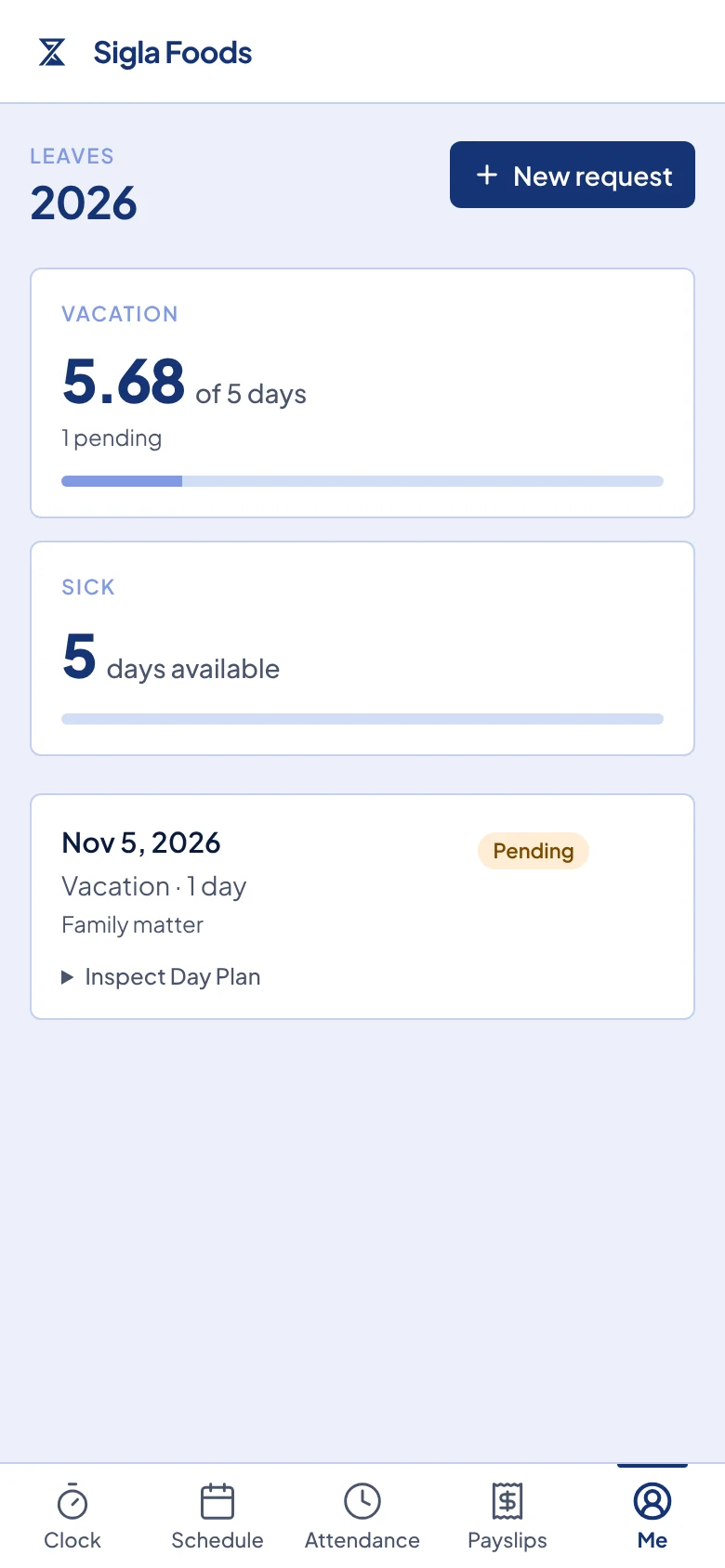
The Leaves page with a balance card for each leave policy and one pending request below them. Tap New request.
Under Leave policy, tap the kind of leave you need.
Pick a Start date and an End date. For one day, pick the same date in both. The box under the dates shows any filing rule for that leave:
- "File at least 3 days in advance" means the leave must start on or after the earliest start date shown.
- "File within 2 days after the leave ends" means you can file after the leave, such as after a sick day, but only within those days.
Type a Reason if you want to. The person who approves your leave can read it.
Tap Submit request.
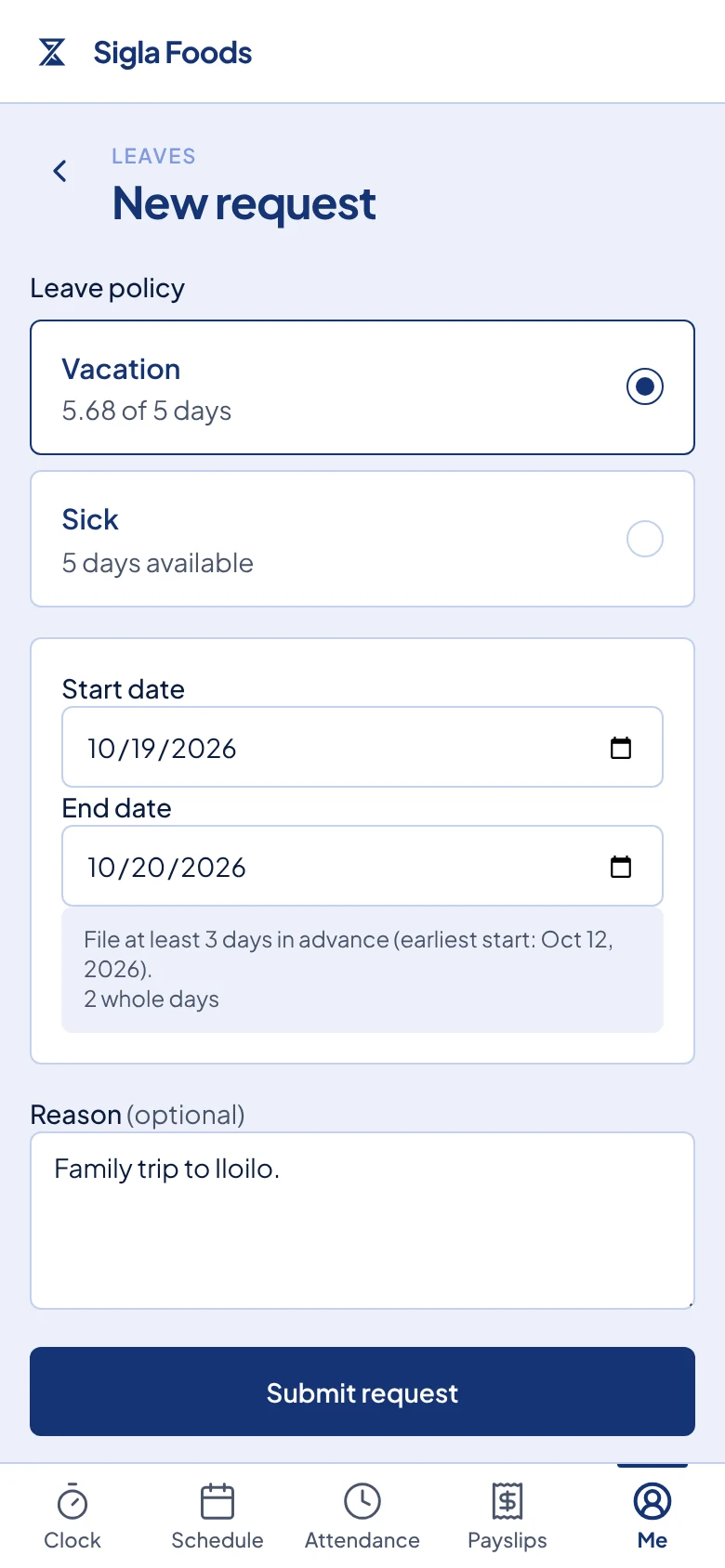
A new Vacation request for two days, with the filing rule shown under the dates.
What happens next
You see "Leave request submitted", and your request appears on Leaves with the tag Pending. Timekeep emails the people at your company who approve leave.
When they decide, the tag changes to Approved or Declined. If your employer has your email address, you also get an email with the decision. An approved leave is taken from your balance. A declined leave uses no days.
Rest days and holidays inside your dates are not charged. Tap Inspect Day Plan under a request to see which dates use a day of your balance and which are paid.
To cancel a request that is still Pending, tap the X button to the right of the Pending tag. It cancels at once, with no second question. After a request is approved, only your HR or your manager can cancel it.
Common problems
It says you already have a leave on these dates. An earlier request that is pending or approved covers one of those days. Cancel it if it is pending, or ask your HR or your manager.
It says the leave must be filed in advance, or within some days after it ends. Your dates break the filing rule for that leave. Pick other dates, or ask your HR or your manager, who can file it for you.
It says "submitted with a balance warning". You asked for more days than you have left. The request was still sent for a decision.
There is no New request button. Your employer has not offered a leave policy yet. Ask your HR or your manager.