
Read company documents
Open the handbooks, policies and memos your employer shares, and confirm that you have read them.
Updated Oct 9, 2026
Before you start
You need to be logged in to your employer's employee portal on your phone. If you do not know how, see Log in to the portal. A document shows here only after someone in your company uploads it in Timekeep, such as your HR, your manager, your supervisor or the owner.
Steps
Tap Me in the bar at the bottom.
Tap Documents under More.
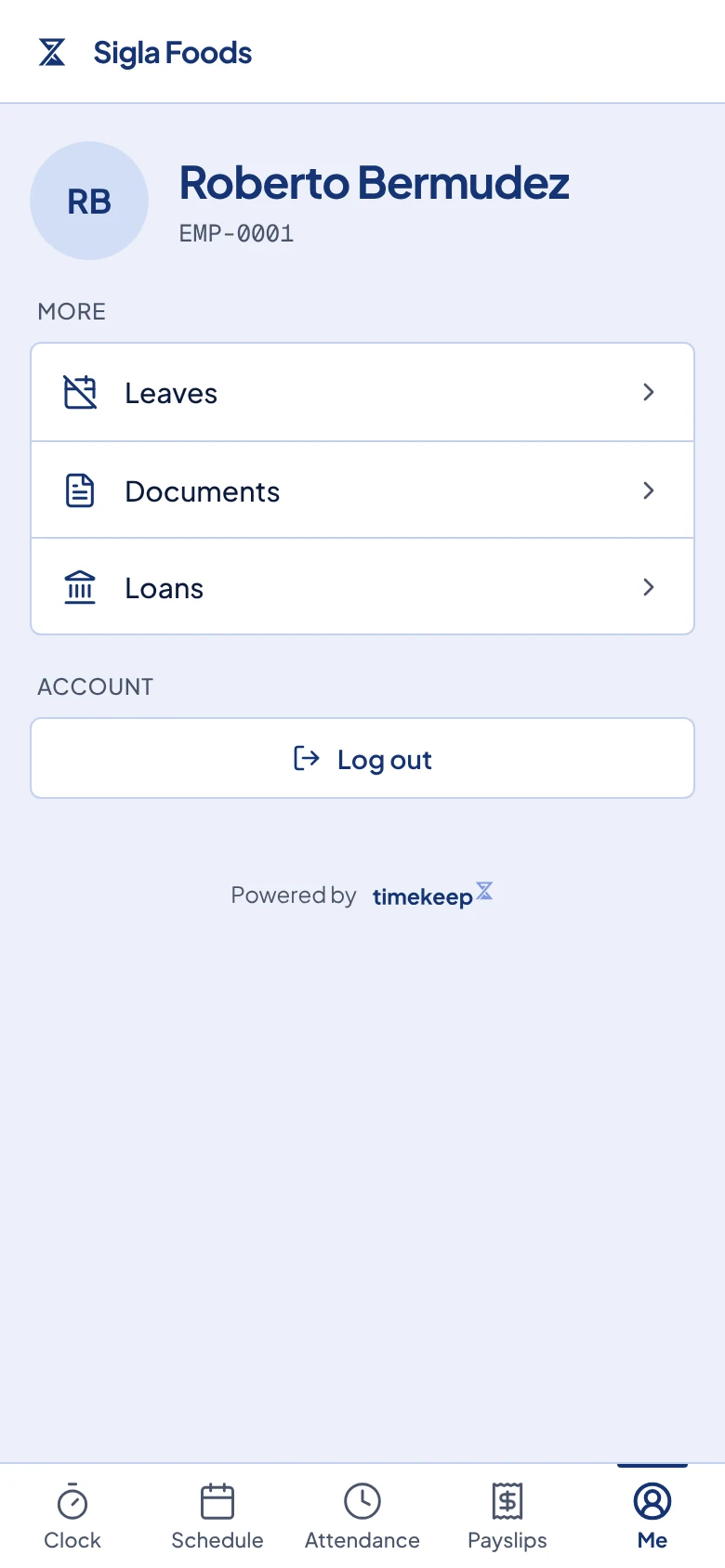
The Me page. Documents is in the list under More. Look at the list. The newest document is at the top. If any document needs your review, the line under the page title says how many. Each document has one of these tags:
- Needs review means your employer wants you to read it and confirm that you did.
- Acknowledged means you already confirmed it. The date under the title is the day you did.
- Optional means the document is for your information. You do not need to confirm it.
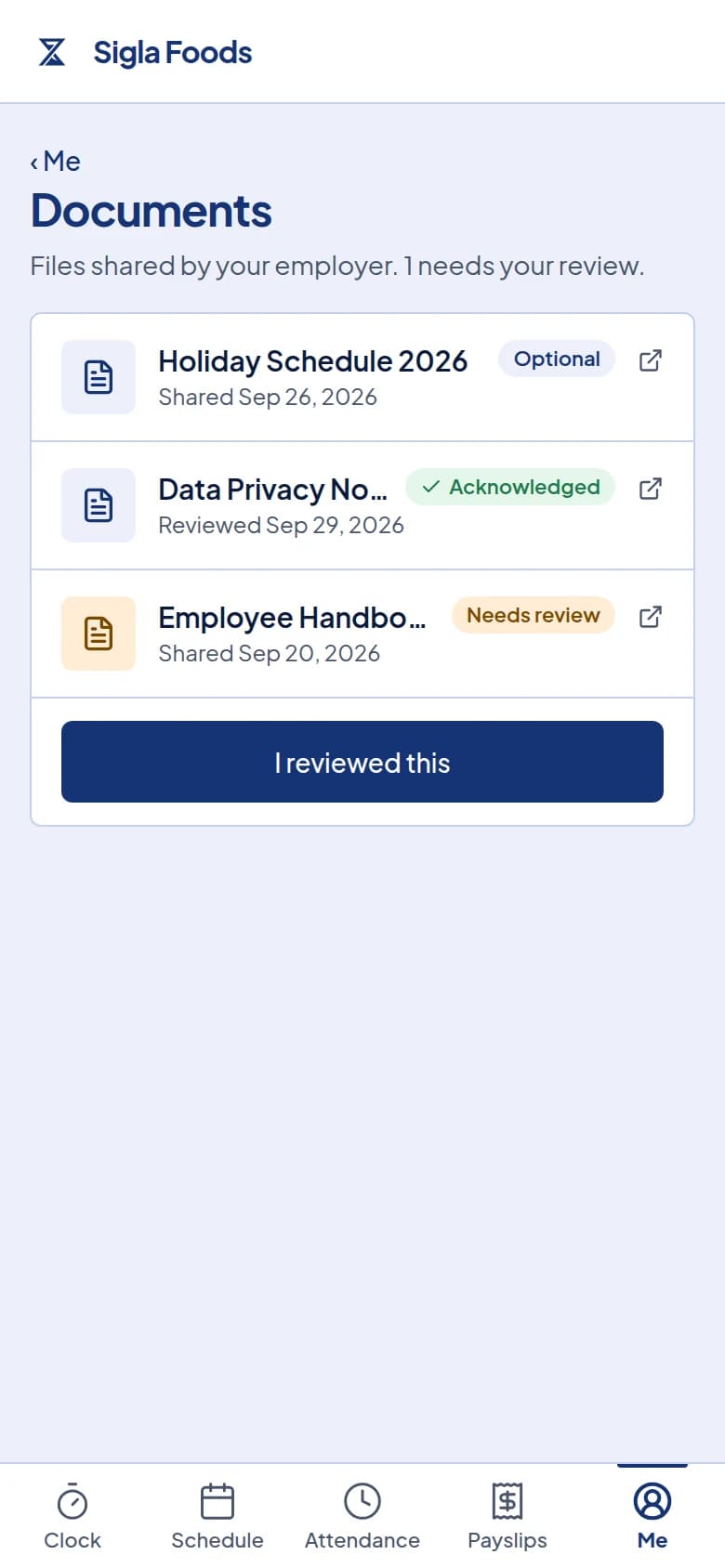
The Documents page. One document needs review, one is acknowledged and one is optional. Tap a document to open it. It opens in a new tab, where you can read it or save a copy. Close the tab to come back to the list.
When you have read a document marked Needs review, tap I reviewed this under it. A message says "Document acknowledged." and the tag changes to Acknowledged.
What happens next
Your employer sees the date you tapped I reviewed this on the document's status page in Timekeep. Opening the file alone does not count, so remember to tap the button. You cannot undo it, so read the document first.
When your employer archives a document, it disappears from your list and you can no longer open it.
Common problems
The page says "No documents yet." Your employer has not shared any documents in Timekeep. If you were told to read one, ask your HR or your manager. If you know documents were shared, your login may have ended. Go back, log in again with your 6-digit PIN, and open Documents again.
A document will not open. If the new tab shows the word Unauthorized, your login may have ended. Go back to the portal, log in again with your 6-digit PIN, and tap the document again. If it still says Unauthorized, your employer may have archived the document. Ask your HR or your manager for the current version.
I tapped I reviewed this and saw "Document not found." Your employer has archived the document, so it can no longer be acknowledged. Ask your HR or your manager whether there is a newer version for you to read.
If you manage your company's documents, see Share a document with your staff and Track and archive a document.