
Set up leave types
Turn on vacation and sick leave, set how many days each employee earns, and choose filing rules and when unused credits expire.
Updated Oct 9, 2026
Timekeep has two leave types, vacation and sick. Both are off until you turn them on. A credit is one day of leave.
Before you start
You must be the owner. Other roles do not see the Settings tab on Leaves.
Steps
Go to Leaves and click the Settings tab. The Leave card has one section for vacation and one for sick leave.
Turn on Offer vacation leave or Offer sick leave.
Change the Display name if you want. Everyone sees this name on requests.
Choose how credits are added. To accrue means Timekeep adds a little leave each month.
- Leave Accrue vacation leave monthly (or Accrue sick leave monthly) on, and type the Annual allowance in days per year. Timekeep shows the monthly credit under the box. At 5 days a year, each month adds 0.42 days, and December adds 0.38 so the year totals exactly 5.
- Or turn it off to give each employee their days yourself with Adjust balance, as in Check and adjust leave balances.
Set the filing rule for requests from the employee portal:
- Vacation has Advance notice, the days before the leave starts that a request must be filed.
- Sick leave has Filing deadline, the days after the leave ends that the employee still has to file.
Leave the box blank, or type 0, for no limit.
For vacation only, decide what happens to unused credits. With Forfeit unused vacation credits off, credits never expire. Turn it on to pick a month and day. On 31 December, nothing carries into the next year. Pick any other date, such as 31 March, and last year's credits can still be used until that date of the following year, then expire. For example, with 31 March, credits from 2026 can be used until 31 March 2027.
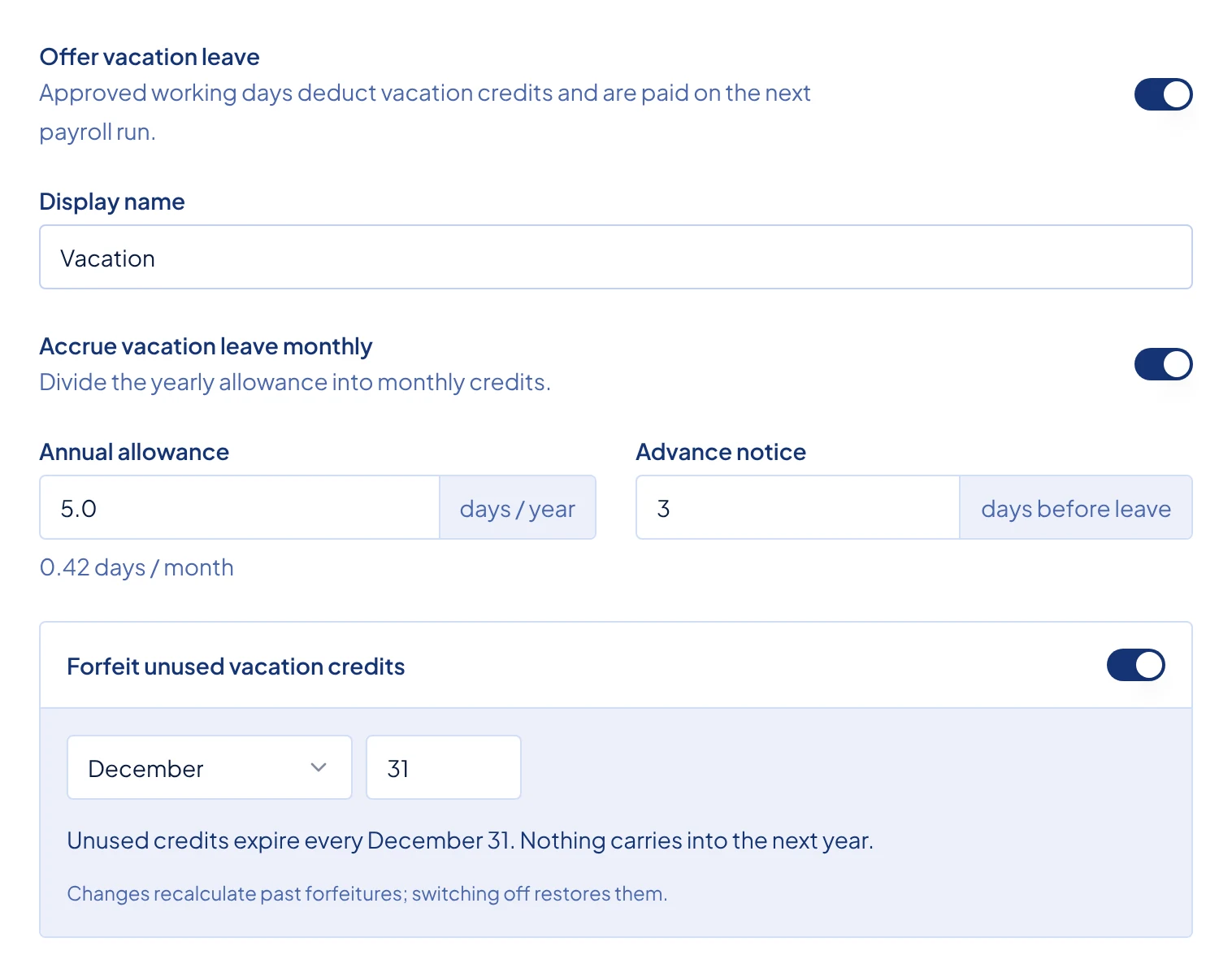
The vacation section of the Leave card, with monthly accrual on, an annual allowance of 5 days, 3 days of advance notice, and credits expiring on 31 December. Click Save at the bottom of the card. The message "Leave settings updated." shows.
What happens next
Monthly credits are added on the last day of each month, starting from the month you turn accrual on, or the employee's hire month if that is later. They stop after a resignation date and for deactivated employees.
Approved working days use credits and are paid on the next payroll run, as explained in Review and decide leave requests. Timekeep has no unpaid leave type.
If you stop offering a type, new requests and credits pause. Balances are kept, but the paused months are not credited later.
The Labor Code gives 5 days of paid service incentive leave a year to most employees with at least one year of service. Exceptions include businesses that regularly employ fewer than ten people, and staff who already get at least 5 days of paid vacation leave. Timekeep does not apply that rule for you. Check with DOLE or your accountant about what applies to your business. It does not wait for one year of service, and it does not convert unused credits to cash. If you owe cash for unused leave, add it as described in Add a one-off earning or deduction to a payslip.
Common problems
- It says "Enter an allowance greater than 0 for monthly accrual". Type an Annual allowance, or turn off monthly accrual.