
Check your loans
See how much of each loan you still owe and the payments taken from your payslips.
Updated Oct 9, 2026
Before you start
You need to be logged in to your employer's employee portal on your phone. A loan shows here only after your HR or your manager adds it in Timekeep, such as an SSS salary loan, a Pag-IBIG loan, or a loan from your company.
Steps
Tap Me in the bar at the bottom.
Tap Loans under More. Each loan has its own card, with your newest loan at the top.
Read the card. It shows the name of the loan and its status, then two amounts:
- The first amount is your monthly payment, the amount you repay each month. The card says "per cutoff", but it shows the full month's amount, not the amount for one payslip. A cutoff is the stretch of dates one payslip covers. If your loan is taken on both cutoffs of the month, each payslip takes half of this amount.
- The second amount, marked "left", is what you still owe.
Check the bar. It shows how much you have paid so far, and the percentage of the loan that is repaid.
Tap the card to see more. Principal is the amount you borrowed, Term is how many months the loan runs, and Started is the date payments began. Recent payments lists up to five of your latest payments, with the date and the amount. Tap the card again to close it.
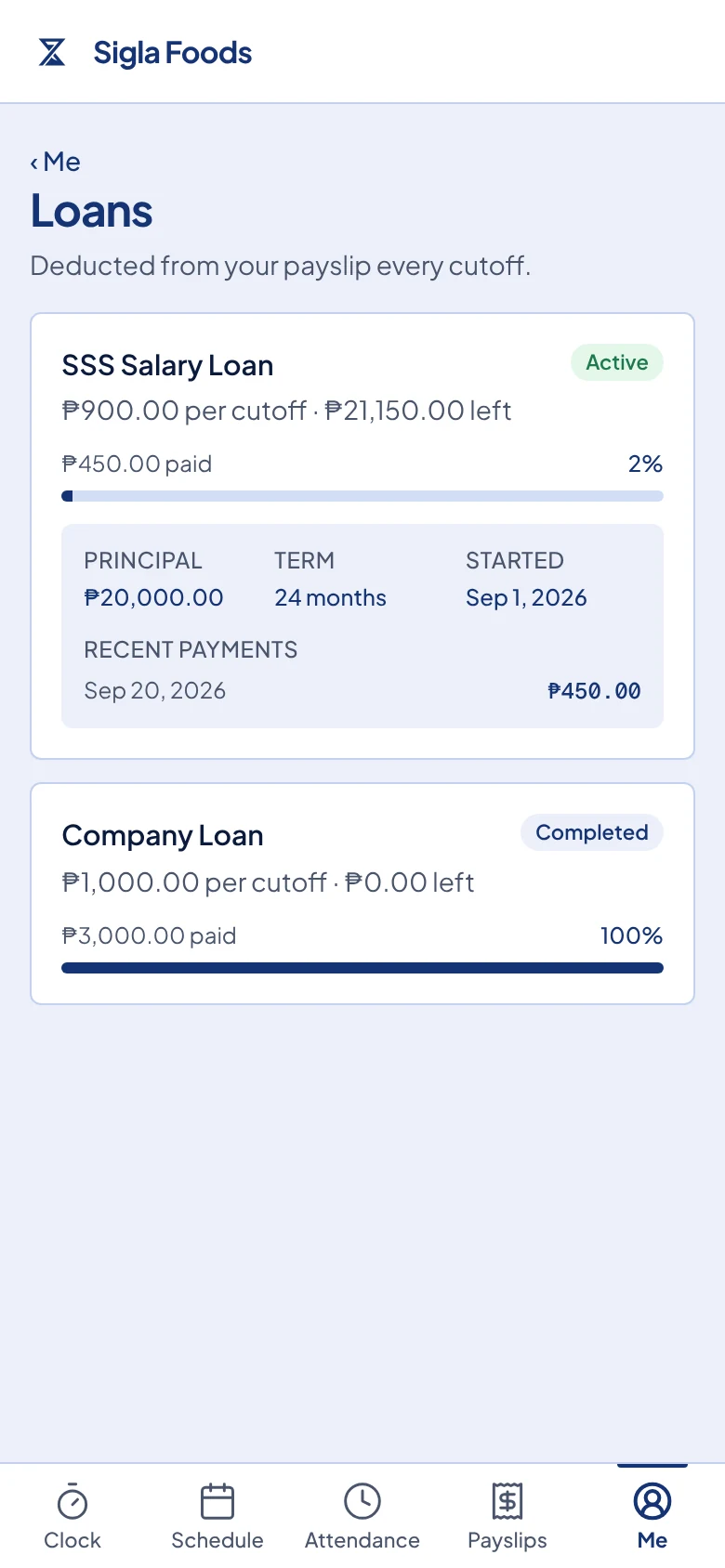
The Loans page. The SSS Salary Loan card is open and shows one recent payment.
What happens next
The status on each card tells you what payroll does with the loan:
- Active means a payment is taken from your payslip.
- Paused means your employer has stopped the payments for now.
- Completed means the loan is fully repaid, so no more payments are taken.
- Cancelled means your employer ended the loan, so no more payments are taken.
Each payment also shows on that payslip under Deductions, as described in View your payslips.
The balance goes down when your employer marks the payroll run paid, not when the payslip is first made. That is why a new payslip can show a loan payment that is not yet listed under Recent payments.
Common problems
The page says "No loans found." Your employer has not added a loan for you in Timekeep. If you have a loan that should be deducted, ask your HR or your manager.
A balance or a payment looks wrong. You cannot change a loan from the portal. Show the card and your payslip to your HR or your manager, because only they can correct it.
The card says "No payments recorded yet." No payroll run that took a payment for this loan has been marked paid yet. Check again after your next payout date.