
How Timekeep works
The four stages Timekeep runs on, who uses each one, and the roles you can give your team.
Updated Sep 20, 2026
The path from staff to pay
Timekeep works in four stages, one after the other. Each stage uses what the stage before it produced, so something missing early on shows up later on the payslip.
- Staff. Every employee has a salary type and a rate. Without them, Timekeep has nothing to compute pay from.
- Shifts and Schedules. A shift is a set of hours you save once and use again. A schedule puts that shift on a person's calendar for real dates. The schedule is the day you expect them to work.
- Attendance. Staff clock in at a kiosk or on a phone. Timekeep compares them against the schedule to work out late minutes, undertime (time short of the schedule), overbreaks (breaks that ran long), absences, and overtime. A day with no schedule has nothing to compare against, so it produces none of these.
- Payroll. A payroll run is one batch of pay you create. It covers a range of attendance dates for a set of employees. Timekeep reads that attendance, applies your rules, and builds a payslip for each person.
The sidebar runs in the same order, so you can work from the top down. Staff and shifts come first, then schedules and attendance, then payroll.
Who uses what
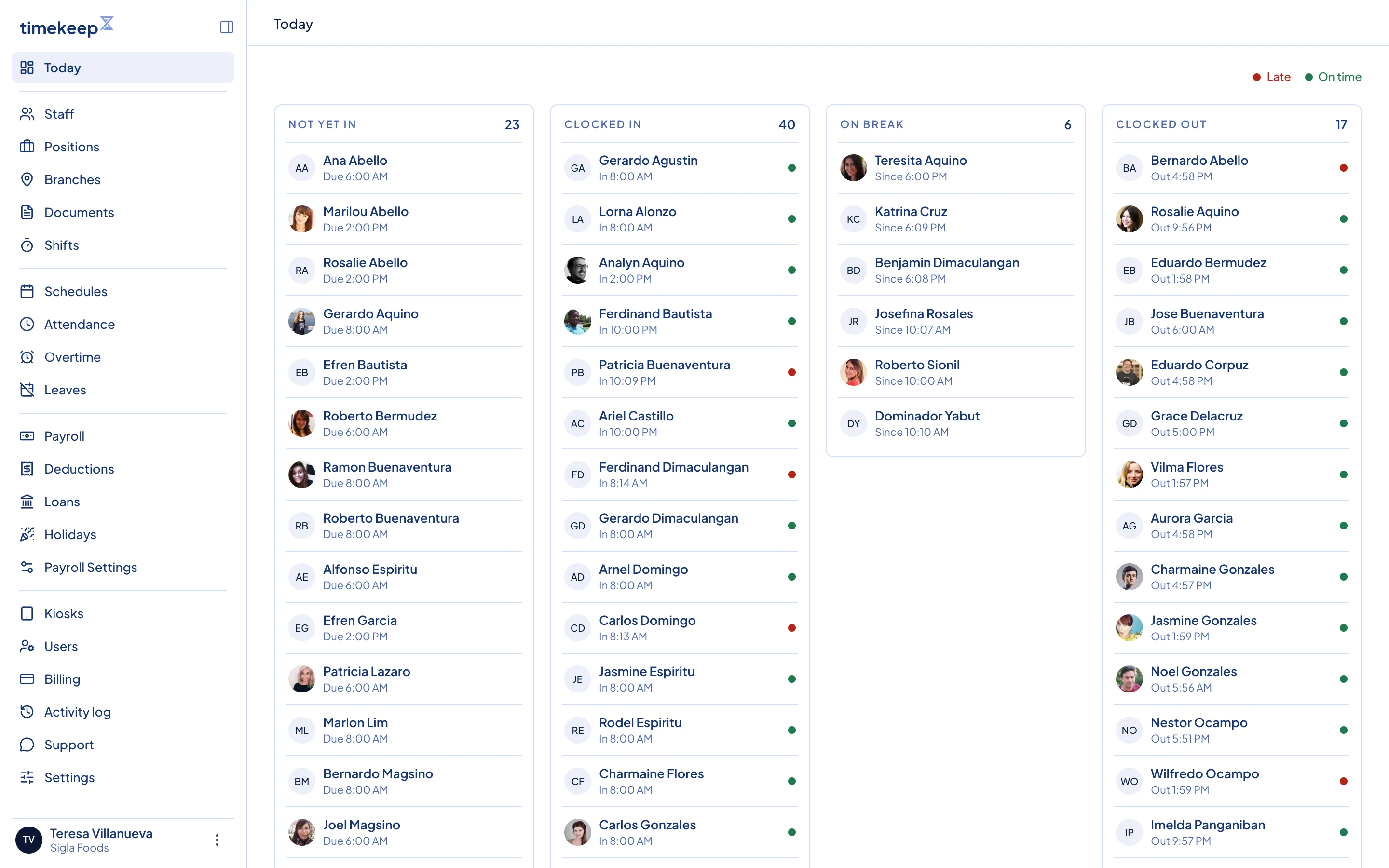
You and the people you invite work in the dashboard. Today is the landing page, and the sidebar holds everything else, including Settings.
Employees use the employee portal on their own phone. They sign in with a 6-digit PIN. From there they get Schedule, Attendance, Payslips, Leaves, Documents, and Loans. If you allow clocking from the portal, they also get Clock.
A kiosk is a shared tablet or computer at the workplace that staff tap to clock in and out. You register one under Kiosks. If the internet drops, it keeps recording punches. It sends them once the connection is back.
The roles you can give
Everyone you invite gets one role, and the role decides which pages they can open.
- Owner is the account that signed up. Only the owner changes business settings, payroll settings, kiosks, billing, and users.
- Manager runs the day to day: staff, documents, shifts, schedules, leaves, overtime, and payroll runs.
- Supervisor looks after their own people: staff records, documents, shifts, schedules, attendance, leaves, and payslip adjustments. They cannot add staff or change pay rates, and they can view payroll but not run it.
- Scheduler builds schedules and views shifts and attendance. They do not see payroll at all.
- Bookkeeper can view payroll, deductions, loans, and holidays, but cannot change any of them.