
Change your payroll settings
A reference for every card and field on Payroll Settings, what each one changes, and its default.
Updated Oct 9, 2026
Payroll Settings holds the rules Timekeep uses to count attendance and work out pay for the whole business. Most businesses set it once, when they set up the business, and come back only when a policy changes.
Before you start
- You need the owner role. Payroll Settings is not in the sidebar for any other role.
- The page has four cards: General, Time tracking, Overtime and Leave. The first three save on their own. Leave has no fields. Change the fields in one card, then click Save at the bottom of that card before you move to the next.
- Pay rules apply the next time a payroll run is created or rerun. A payroll run is one pay period's payslips for your staff. Attendance rules, such as the grace period, apply to new punches. For days already recorded, recalculate attendance after the change.
General
The work week and when government contributions are taken.
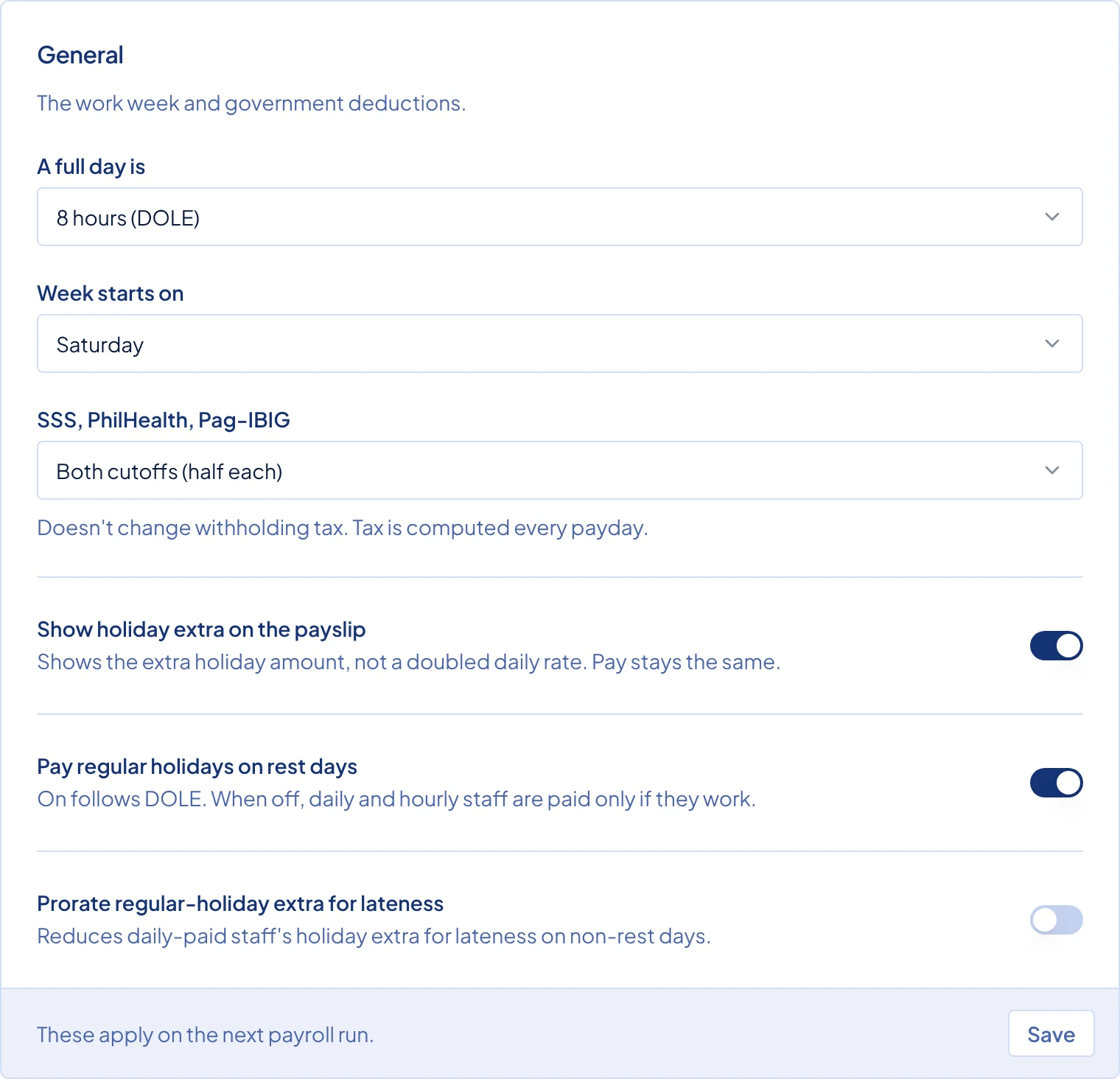
- A full day is: how Timekeep measures a day's work. 8 hours (DOLE) (Department of Labor and Employment) compares the hours actually worked with 8 hours to find undertime and overtime. Scheduled hours compares the clock-out with the end of the schedule instead. The default is 8 hours (DOLE). You can override it for one person with Shift Mode in the Settings card on their staff page.
- Week starts on: the first day of a weekly payroll run. A weekly run must start on this day. The default is Saturday.
- SSS, PhilHealth, Pag-IBIG: which payroll runs take the employee share of these contributions. Pick Both cutoffs (half each), 1st cutoff only or Last cutoff only. A cutoff is one half of the month: the 1st to the 15th, and the 16th to the end of the month. The default is Both cutoffs (half each). Withholding tax is not affected and is worked out every payday.
- Show holiday extra on the payslip: prints only the extra holiday amount, such as "(+100%)", instead of the full rate. "+100%" means the pay is the normal rate plus 100% extra, which is double. Pay stays the same. Off by default.
- Pay regular holidays on rest days: pays daily and hourly staff for a regular holiday that falls on their rest day, even if they do not work. Timekeep uses the DOLE rates by default. On by default.
- Prorate regular-holiday extra for lateness: lets late minutes reduce the holiday extra of daily-paid staff on a regular holiday that is not a rest day. Off by default.
See How a holiday shows up in pay for the three holiday switches.
Time tracking
Lateness and early clock-ins.
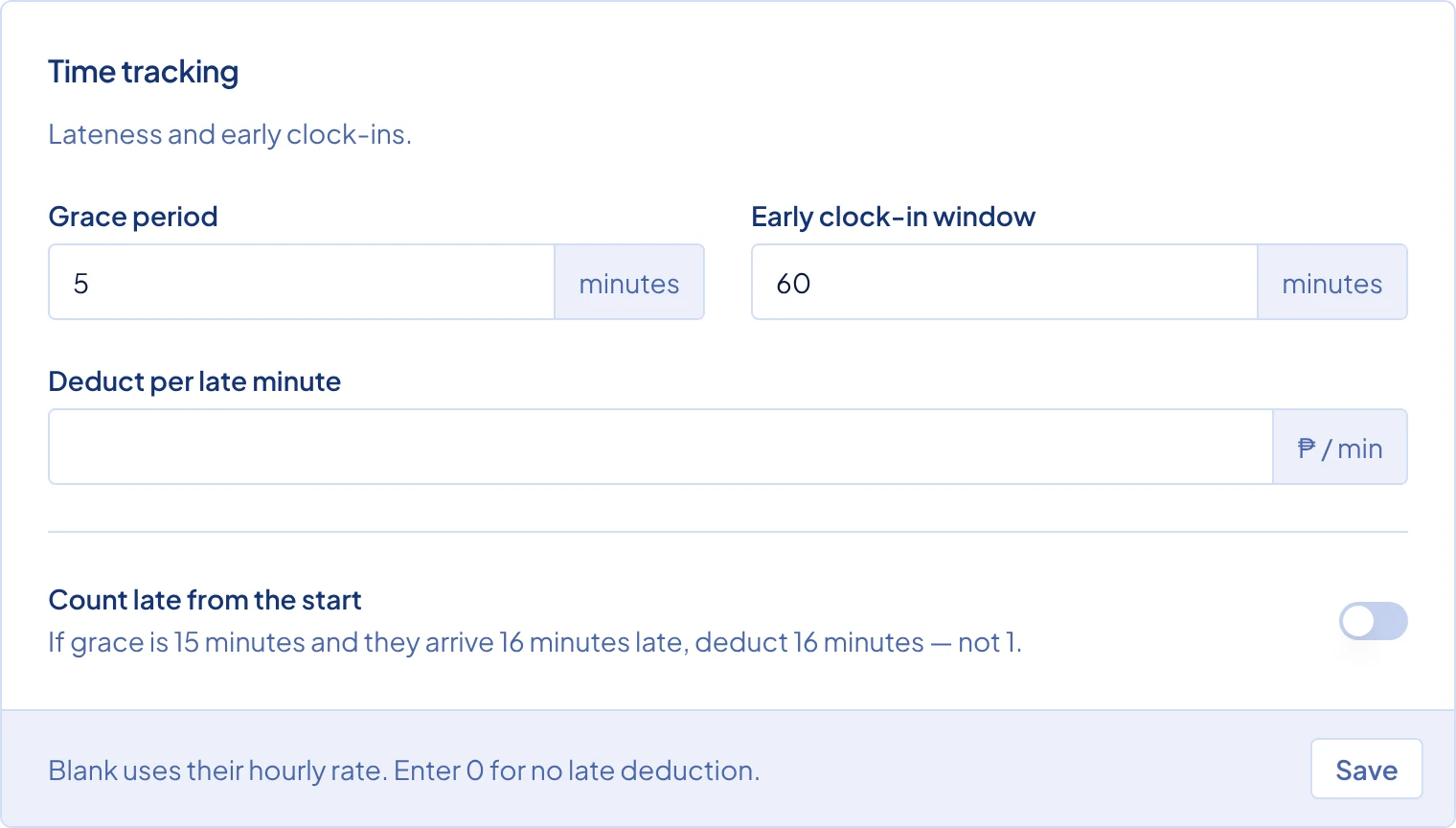
- Grace period: the minutes someone can be late without it counting, from 0 to 60. The default is 0.
- Early clock-in window: how many minutes before a shift starts a clock-in still counts for that shift, from 0 to 120. The default is 60.
- Deduct per late minute: a fixed peso amount taken for each late minute. Leave it blank to use each employee's own per-minute rate, which is the default. Enter 0 to take nothing for late minutes.
- Count late from the start: when someone arrives after the grace period, deducts every late minute instead of only the minutes past the grace period. With a 15-minute grace period, someone 16 minutes late loses 16 minutes, not 1. Off by default.
Overtime
How extra hours are counted and paid.
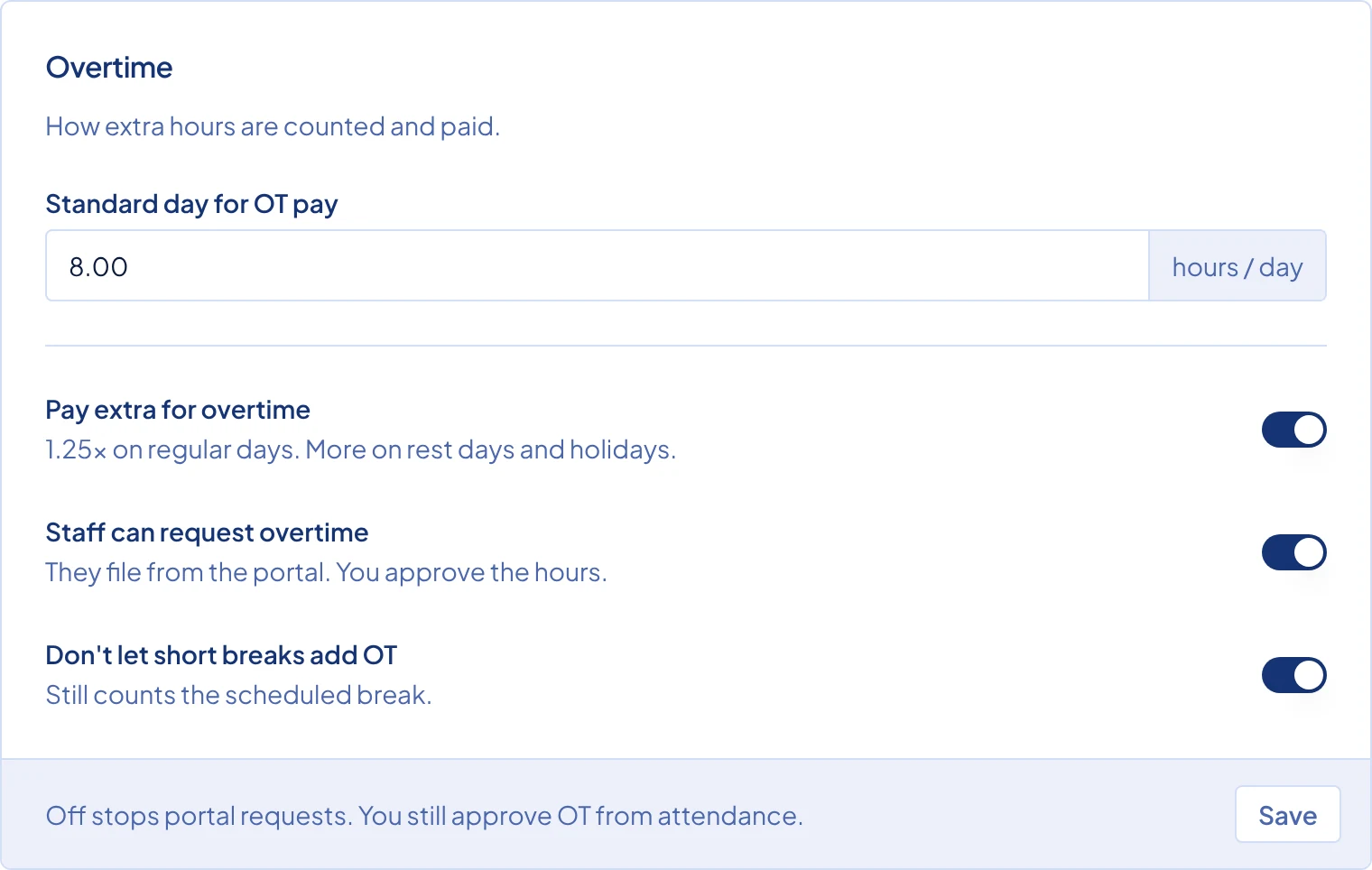
- Standard day for OT pay: the hours in a normal working day, from 1 to 24. Timekeep divides the daily rate by this number to get the hourly rate for overtime pay. The default is 8.
- Pay extra for overtime: pays approved overtime on a regular day at 1.25 times the hourly rate. When it is off, that overtime is paid at the plain hourly rate. Rest days and holidays keep their own higher rates either way. Turning this off may put you below the legal minimum for overtime pay, so check before you do. On by default.
- Staff can request overtime: lets staff file overtime requests from the employee portal, and adds Overtime to the sidebar so you can approve or decline them. Off by default. You can still approve overtime from Attendance when it is off.
- Don't let short breaks add OT: when someone takes a shorter break than scheduled, the unused break minutes do not count as overtime. Timekeep still takes off the full scheduled break. Off by default.
Leave
This card has no fields. Leave settings are on the Settings tab of Leaves, and the Leaves page link in the card takes you there.
Common problems
I changed a setting, but an old payslip did not change. Settings never change a payroll run that already exists. Rerun the draft payroll to apply them. Unlock a locked run first. A run marked paid keeps its figures.
The late minutes on Attendance still use the old grace period. Late minutes are counted when each punch is saved. Recalculate attendance for those dates.