
Payroll
Set when a monthly deduction starts and ends
Choose the first and last cutoff a monthly deduction is taken from.
Before you start
You must be an owner or manager.
A monthly deduction is a set amount you take from an employee's pay every month, such as an HMO share or a uniform.
Steps
-
Go to Deductions and click Add Deduction. To change one, open the menu at the end of its row and click Edit.
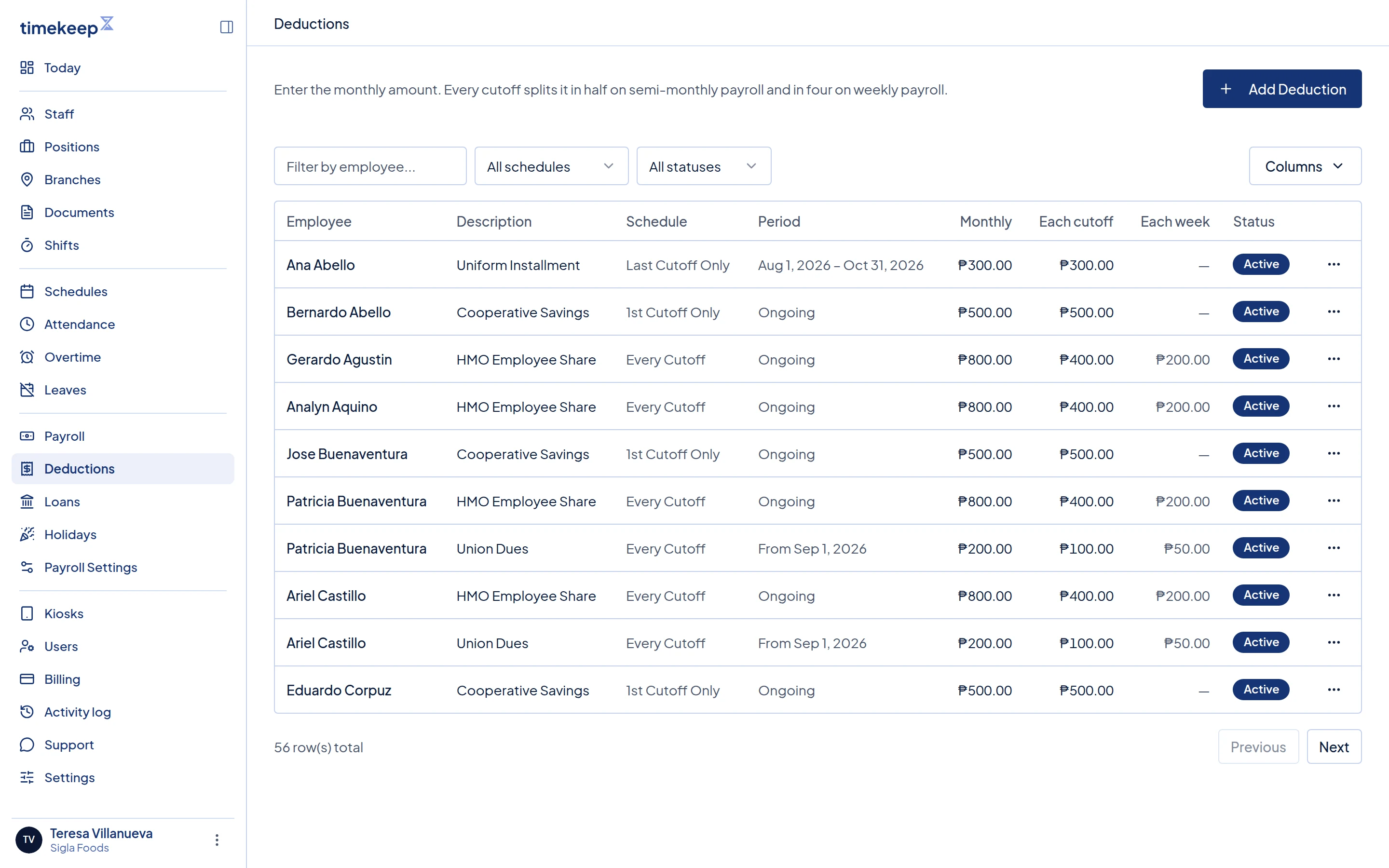
The Deductions list. Period shows the dates. Status compares them with today. -
Choose the Employee and type a Description.
-
In Monthly Amount (₱), enter the amount for the whole month.
-
Choose a Schedule. Every cutoff (split each payroll) takes half on each cutoff, or a quarter each week on weekly payroll. The other two take the whole amount on one cutoff.
-
In Effective Date (optional), pick the first day of the first cutoff you want it taken from. Leave it blank if there is no start date.
-
In Expiry Date (optional), pick the last day of the last cutoff you want it taken from. Leave it blank to keep taking it.
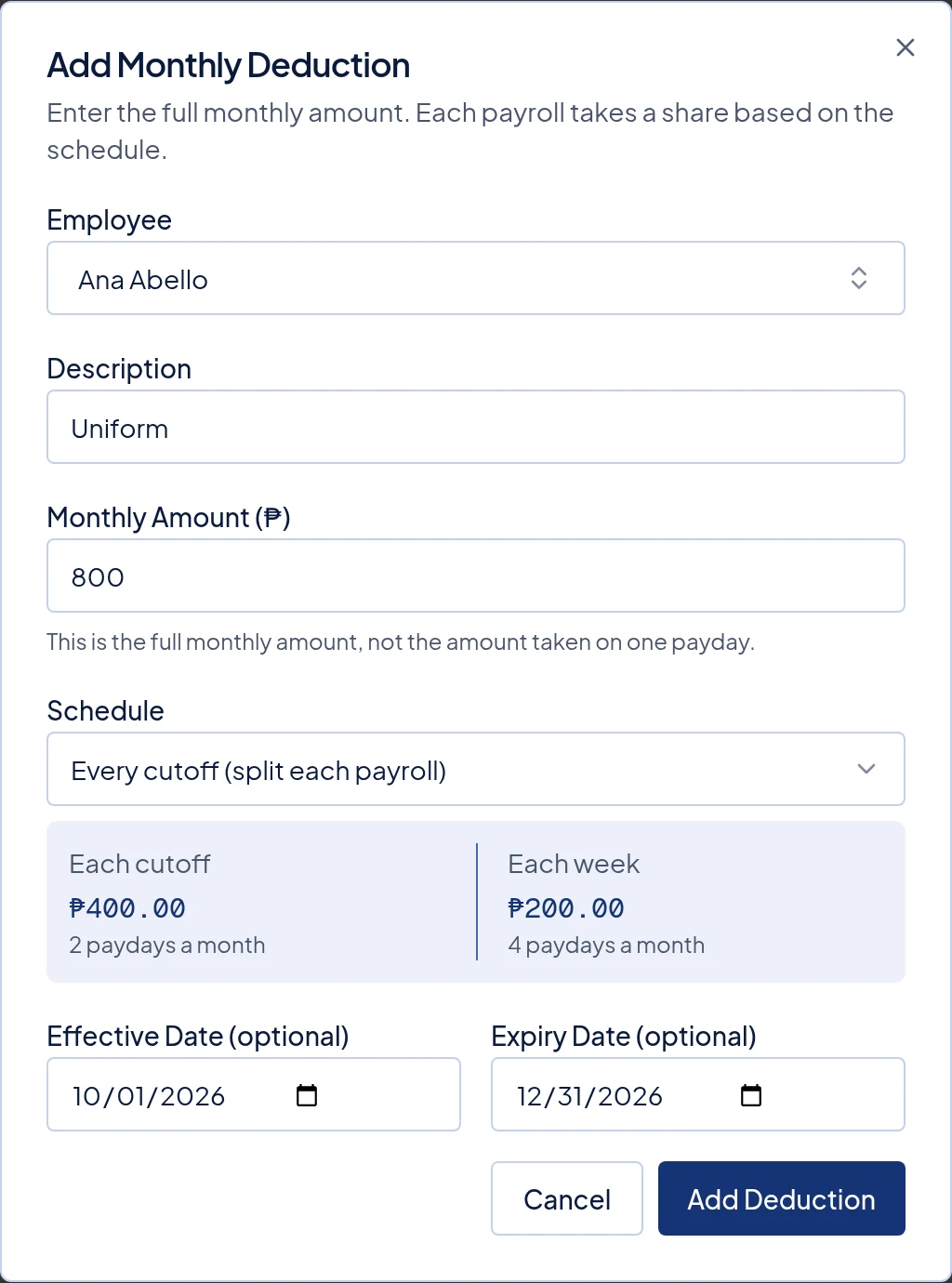
A ₱800 deduction from Oct 1 to Dec 31, 2026. Each cutoff takes ₱400. -
Click Add Deduction, or Save Deduction if you are editing.
What happens next
Every payroll checks your dates against its cutoff. A cutoff is usually the 1st to the 15th, or the 16th to the end of the month.
- If any day of the cutoff is between your two dates, the full amount for that cutoff is taken.
- If no day of the cutoff is between them, nothing is taken.
For example, ₱800 on Every cutoff (split each payroll) from Mar 1 to Mar 31:
| Cutoff | Taken |
|---|---|
| Feb 16–28 | Nothing |
| Mar 1–15 | ₱400 |
| Mar 16–31 | ₱400 |
| Apr 1–15 | Nothing |
The payout date, the day you pay your staff, does not matter. Only the cutoff's dates count. A Feb 16–28 cutoff paid on Mar 5 does not take a deduction that starts on Mar 1.
Common problems
- It was taken one more time than I expected. Your date is in the middle of a cutoff, so that whole cutoff counts. Use the first or last day of a cutoff instead.
- I changed the dates, but the payslip did not change. Payslips already made keep their amounts. If the payroll still shows Draft, follow Rerun a draft payroll.
- It says Expired, but it was still taken. Status compares the dates with today, not with the payroll. A payroll for an earlier month can still take it.
- A 1st cutoff only or Last cutoff only deduction was skipped. It is taken on one cutoff a month, so your dates must include that cutoff. These two are never taken on weekly payroll.
Last updated Sep 27, 2026